Skip to main content

Quick Summary: |
Microsoft’s Payables Agent in Business Central can read emailed invoice PDFs, extract details with Azure Document Intelligence, and suggest purchase order lines. It creates an unposted invoice after supervisor review. For teams using Business Central, these capabilities are already available within the ERP, so buying another capture tool needs a clear reason.
That reason may be the work AP still does after an invoice. A supplier needs to match an invoice to the vendor record. A price differs from the purchase order, or the invoice includes goods that haven’t been received. AP must investigate these differences and resolve them before posting.
Those cases deserve attention when you are looking to buy software. Ardent Partners’ 2025 State of ePayables puts the average invoice exception rate at 18.4%. With exceptions occurring that frequently, buyers need to see how a tool handles discrepancies alongside how accurately it extracts the data. Otherwise, they risk choosing software that reads invoices well but leaves the same follow-up work with AP.
This guide compares 10 invoice OCR and AP automation tools on line-item accuracy, PO and receipt matching, exception handling, and ERP posting. It explains how extraction APIs, AP suites, and ERP-connected tools handle that work, and what each would leave your team responsible for.
Best Invoice OCR Software at a Glance
These 10 tools differ in how much of the invoice workflow they handle. The table separates extraction platforms, AP suites, and ERP-connected tools so you can compare options that fit your team’s resources and existing systems.
Tool | Type | What It Handles | Best For |
|---|---|---|---|
MetaViewer | ERP-connected capture | Captures line items, matches against Business Central POs and receipts, and routes approvals before posting | Dynamics and Acumatica teams seeking ERP-connected AP automation; confirm capabilities for the specific ERP |
Rossum | Extraction tools and platforms | Captures invoice data, validates it against business records, and supports exception follow-up and ERP delivery | High-volume AP teams needing configurable document validation and processing |
Nanonets | Extraction tools and platforms | Extracts line items, supports 2- and 3-way matching, and exports approved data to accounting systems | Teams needing configurable extraction, matching, and export workflows |
ABBYY Vantage | Extraction tools and platforms | Extracts document data using pre-trained skills and passes it to RPA, workflow, or ERP systems | Enterprises processing invoices alongside other document types |
Azure Document Intelligence | Extraction tools and platforms | Returns invoice fields, line items, and confidence scores as JSON; downstream processing requires development | Teams with developers building and maintaining their own invoice-processing workflow |
Stampli | AP automation suites | Combines capture, PO matching, approvals, and invoice-level collaboration, then syncs records to the ERP | AP teams coordinating invoice review across multiple approvers |
Yooz | AP automation suites | Combines capture, line-level matching, exception routing, fraud checks, and payments | Small and midsize teams seeking capture, approvals, and payments in one platform |
Medius | AP automation suites | Combines capture, approvals, and fraud detection with connections to one or several ERPs | Mid-market and enterprise groups managing AP across multiple ERPs |
Continia Document Capture | ERP-connected capture | Handles capture, PO and receipt matching, approvals, and archiving within Business Central | Business Central teams wanting invoice processing within their existing ERP |
Microsoft native capture | ERP-connected capture | Provides Payables Agent in Business Central and Invoice capture in Dynamics 365 Finance | Business Central and Finance teams assessing their ERP's native capture before adding another tool |
Caption: Invoice OCR tools compared by software type, workflow coverage, and team fit
Q: Which invoice OCR software is the best? |
The 10 Best Invoice OCR Software Tools, Reviewed
The reviews below cover how each tool captures invoice data, handles matching and exceptions, and connects to your ERP. We also explain what your team would need to configure, build, or maintain, and which requirements could make a tool unsuitable.
1. MetaViewer
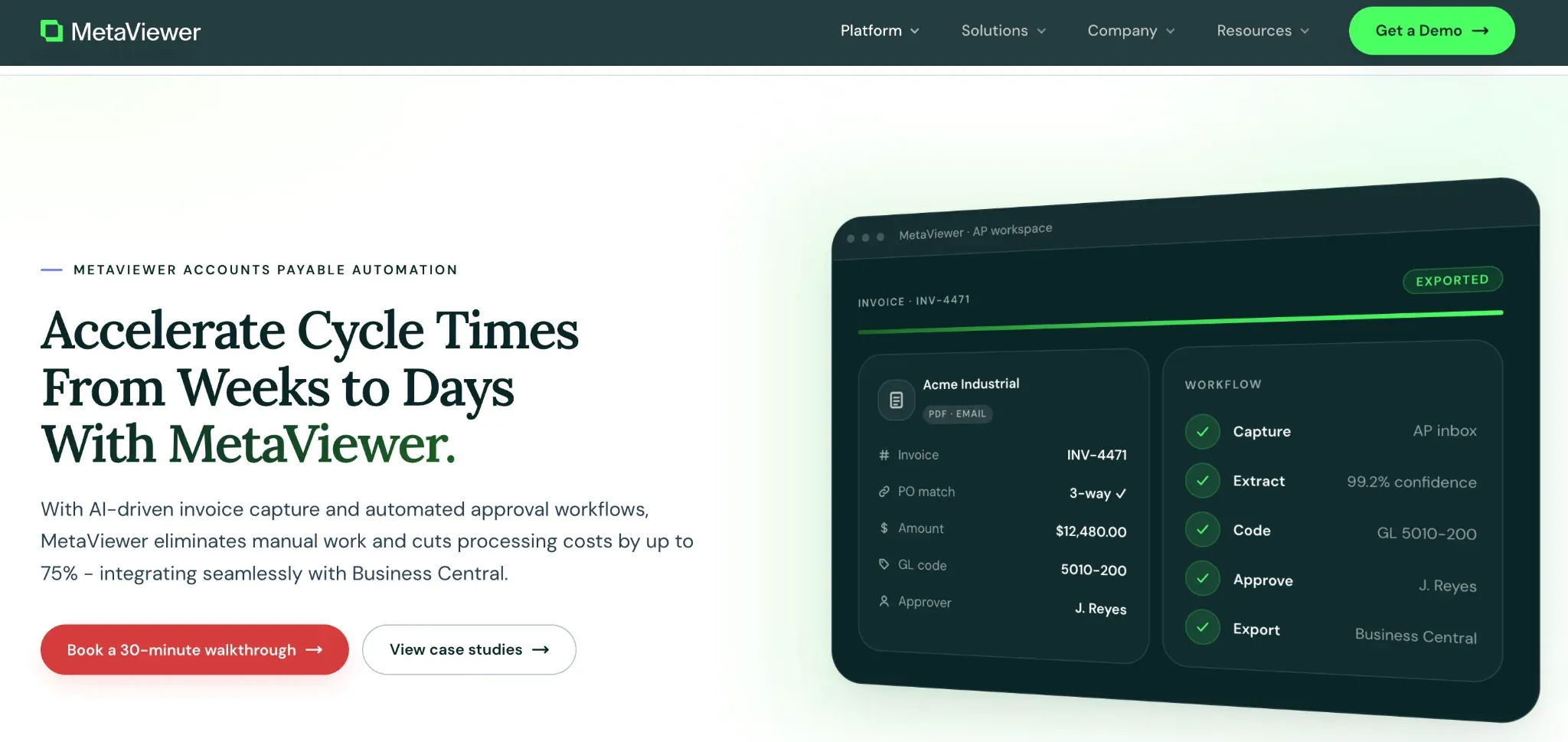
MetaViewer is our AP automation and document management platform for teams that need invoice processing connected to their ERP. In Business Central, we use the ERP’s purchase orders, receipts, and accounting records to validate, approve, and post invoices.
Key Capabilities of MetaViewer
- Code invoices without a purchase order: Our software suggests GL codes based on your past coding patterns and chart of accounts. That means your team spends less time on manually coding recurring bills.
- Route invoices to the right approver: Set approval rules based on vendor, amount, GL account, dimension, or entity. Add a delegate or backup approver when someone is away.
- Capture invoice details line by line: Our invoice capture software reads each invoice line and fills in details such as quantity and price. Your team reviews the invoice draft instead of typing each item into Business Central.
- Match invoices to Business Central records: With our platform, three-way matching checks invoice lines against purchase orders and receipts in Business Central. If a line doesn’t match, our tool flags it so your team can review and resolve it before posting. Because it uses Business Central’s data, you don't need to maintain a separate matching engine.
- See what needs to be accrued: Accrual reports show goods you’ve received but haven’t been invoiced for, along with approved invoices that still need to be posted.
- Locate documents and invoices easily: Our document management system links invoices, contracts, and other files to their Business Central records, making them easier to find during an audit.
- Pay suppliers without paper checks: With MetaPayments, our payment solution powered by Corpay, your team can pay suppliers by ACH or virtual card through the AP workflow.
What Happens After Capture with MetaViewer
For PO-backed invoices, MetaViewer compares captured lines with Business Central purchase orders and receipts. It surfaces quantity, price, and item discrepancies before posting, giving AP a clear exception to resolve.
Invoices proceed through the configured approval controls and post into Business Central, with approval activity logged. Finance teams can also track received-not-invoiced and approved-not-posted activity, connecting invoice processing with accrual reporting.
Leeco Steel’s AP team previously spent month-end reconciling invoices to receipts. After implementing MetaViewer, Leeco automated PO reconciliation and reported that its received-not-invoiced balance fell from $8 million to $1 million, with fewer incorrectly vouchered receipts. |
What Your Team Needs to Configure or Integrate
Implementation connects the ERP and establishes approval rules, reviewer assignments, and access permissions. Our approval options include amount thresholds, delegation, and backup approvers, so the workflow reflects existing financial controls. We also support cloud and on-premises deployment.
When MetaViewer May Not Be the Right Fit
Teams that only need invoice data extracted into a spreadsheet or custom application may not need MetaViewer’s matching, approvals, and document-management capabilities. For those teams, a simple extraction service can be a better fit.
Q: How much does MetaViewer cost? |
2. Rossum
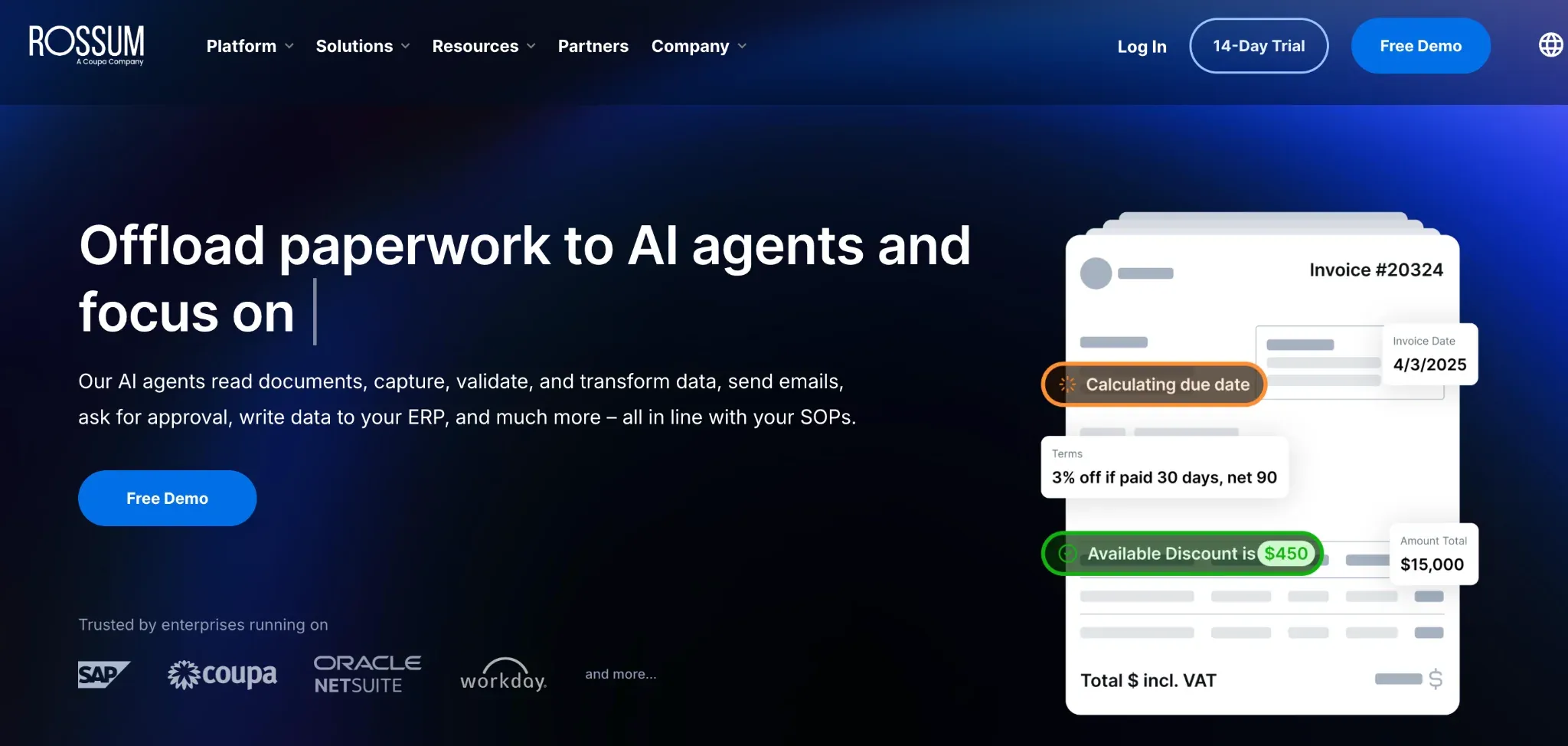
Rossum processes transactional documents like invoices. It combines data extraction with validation against business records, exception handling, and delivery to downstream systems. It’s worth considering when your requirements include configurable validation and supplier follow-up with invoice capture.
Key Capabilities of Rossum
- Document intake: Receives invoices through email, scanners, PEPPOL, and shared drives.
- Data validation: Checks extracted information against master data, ERP records, and business rules.
- Exception follow-up: Supports automated vendor notifications and AI-generated emails.
- ERP connections: Lists integrations for SAP, Coupa, NetSuite, Workday, and Microsoft Dynamics.
What Happens After Capture with Rossum
Rossum checks extracted data against your validation rules before sending it downstream. Its agents can request approvals, contact suppliers about exceptions, and write data to an ERP.
PO matching needs particular attention. Rossum has replaced its legacy extensions with modern data architectures. Instead of relying on the old out-of-the-box extensions, Rossum now supports four advanced matching pathways.
What Your Team Needs to Configure or Integrate
- Plan to connect your business data, define validation rules, and decide how exceptions reach reviewers.
- Establish who owns the ERP connection and any custom logic.
- Rossum documents webhooks for master-data checks and custom validation before export, so implementation requirements depend on the workflow you need.
When Rossum May Not Be the Right Fit
If you want matching, approvals, and posting to remain entirely within Business Central, compare Rossum with ERP-connected options before committing to a separate processing platform. The deciding factors must be workflow fit and implementation effort.
3. Nanonets
Nanonets offers invoice extraction through a product interface and an API, with workflows for validation, matching, approvals, and exports. It suits teams that want to configure how invoice data moves into their accounting system without building the entire process around an OCR API.
Key Capabilities of Nanonets
- Line-item extraction: Captures SKU-level items and invoice fields as structured data.
- Workflow automation: Connects invoice intake, validation, approvals, and exports.
- PO and receipt matching: Its NetSuite integration supports 2-way and 3-way matching against purchase orders and goods receipts.
- Approval routing: Sends invoices to reviewers according to configured rules and records approval activity.
What Happens After Capture with Nanonets
Nanonets says approved data can be pushed into systems like NetSuite, SAP, QuickBooks, and Xero as a new vendor bill, with the invoice image attached. Exception routing happens in the workflows you configure.
What Your Team Needs to Configure or Integrate
Plan to connect your accounting system, map invoice fields, and define validation and approval rules. For 3-way matching, establish how Nanonets will access current purchase orders and goods receipts.
Test a quantity variance and a missing receipt. Check who receives each exception, how corrections are revalidated, and whether the approved result reaches the accounting system without re-entry.
When Nanonets May Not Be the Right Fit
If approvers must work entirely inside your ERP, check whether Nanonets’ separate workflow fits that requirement. The issue is where reviews and approvals happen. Teams seeking extraction alone should also assess the API separately from the broader workflow offering.
4. ABBYY Vantage
ABBYY Vantage is an intelligent document processing platform with pre-trained skills for invoices and other business documents. Its invoice skills combine extraction with vendor lookups, purchase order checks, and validation rules, making it relevant to enterprises incorporating invoice processing into a wider automation environment.
Key Capabilities of ABBYY Vantage
- Invoice extraction: Captures header fields and line items, including quantities, unit prices, taxes, and amounts.
- Catalog matching: Matches extracted information against vendor, business-unit, purchase-order, and PO-item records.
- Business validation: Checks required fields, invoice calculations, and purchase-order amounts.
- Manual review: Lets operators correct extracted information and select the appropriate vendor or business unit.
What Happens After Capture with ABBYY Vantage
Vantage delivers extracted data into RPA, BPM, and ERP systems. PO matching, approvals, and posting usually sit in those downstream tools or in ABBYY's separate AP automation offering. Plan the integration as its own project, with its own budget and owner.
What Your Team Needs to Configure or Integrate
Vendor, business-unit, purchase-order, and PO-item catalogs need your organization’s data. Skill parameters reference those catalogs, while rules determine how extracted values are validated. The implementation also needs an integration that maps the resulting data into the receiving system.
When ABBYY Vantage May Not Be the Right Fit
Vantage’s invoice skill does not establish a complete approval-to-posting AP workflow on its own. For a team seeking packaged invoice approvals and ERP posting, the additional integration work matters more than the platform’s breadth of document extraction.
5. Azure Document Intelligence
Azure AI Document Intelligence is Microsoft’s document extraction service. Its prebuilt invoice model reads invoice fields and line items and returns structured data for an application or workflow to process. Teams can use it through APIs, SDKs, or Microsoft’s Power Automate connector.
Key Capabilities of Azure Document Intelligence
- Prebuilt invoice extraction: Reads invoices, utility bills, and purchase orders without requiring a custom model.
- Structured output: Returns extracted fields and line items as JSON, with confidence information.
- Integration options: Supports REST APIs, developer SDKs, and Power Automate.
What Happens After Capture with Azure Document Intelligence
The service returns extracted data. Vendor-master validation, invoice-to-PO and receipt matching, approval routing, and ERP posting belong to the application or workflow consuming that output.
Not all of these steps require custom code. Power Automate provides a connector for invoice analysis, allowing you to extract data and include it in a configured workflow. The remaining AP steps still need their own rules and system connections.
What Your Team Needs to Configure or Integrate
The implementation requires an Azure Document Intelligence resource, an authenticated connection, and a workflow that submits documents and uses the results. Your team must also provide downstream validation, exception handling, approvals, and integration with accounting systems.
When Azure Document Intelligence May Not Be the Right Fit
An AP team seeking a ready-to-use capture, matching, approval, and posting workflow would need additional software or implementation work. Azure fits teams with development or low-code automation resources to build and maintain those connections.
Q: Is an OCR API enough for accounts payable? |
6. Stampli
Stampli provides an invoice-centered workspace where AP and approvers can discuss charges, resolve questions, and authorize invoices. It brings accounting and purchasing data into that workspace while the ERP remains the financial system of record.
Key Capabilities of Stampli
- Invoice collaboration: Keeps comments, questions, and approvals alongside the invoice.
- Accounting context: Imports Business Central vendors, accounts, dimensions, and tax information.
- Purchasing-data matching: Supports matching against open and partially received Business Central purchase orders and receipts.
What Happens After Capture with Stampli
Invoices move through coding, discrepancy resolution, and approval before export. For Business Central, Stampli validates coding against imported accounts and dimensions.
Export behavior depends on the invoice type. Depending on configuration, non-PO invoices can become draft or posted documents. PO-based invoices must export as posted documents under Stampli’s documented Business Central integration.
What Your Team Needs to Configure or Integrate
Implementation establishes company connections, accounting mappings, approval rules, and synchronization. Business Central master data refreshes at scheduled intervals rather than reflecting every change immediately. On-premises deployments require a bridge connector; third-party custom fields can require wrapper extensions to expose them.
When Stampli May Not Be the Right Fit
The Business Central integration restricts an invoice to one purchase order, although it can match multiple receipts. It also prevents mixing PO lines and receipt lines on the same document. Those constraints matter for suppliers that consolidate several POs into one invoice.
7. Yooz
Yooz is a cloud procure-to-pay platform covering purchasing requests, invoice processing, approvals, and payments. It supports multi-entity and multi-site operations, so it goes beyond small teams processing straightforward invoices.
Key Capabilities of Yooz
- Multichannel intake: Collects invoices from email, scans, electronic invoices, and supplier submissions.
- Line-level matching: Compares invoice lines with purchase orders and goods receipts.
- Risk screening: Flags suspected document forgery, duplicate invoices, and atypical amounts.
What Happens After Capture with Yooz
Yooz applies validation and matching controls before routing invoices through the approval workflow. Exceptions reach reviewers, while approved invoices proceed toward payment and export to the accounting system. The platform retains invoice images and an audit trail of processing activity.
Its integration coverage does not have a consistent behavior across every ERP connector.
What Your Team Needs to Configure or Integrate
Yooz has three implementation phases: Connecting the ERP and synchronizing the chart of accounts and vendor master; configuring entities, coding defaults, and approval rules; then running an initial invoice batch and tuning extraction for the supplier mix.
Routing rules can use amount, GL code, entity, or vendor.
When Yooz May Not Be the Right Fit
A team needing extracted data for a spreadsheet or custom application may not need Yooz’s purchasing, approval, and payment workflows. Its broader process coverage is most relevant when those activities also need automation.
8. Medius
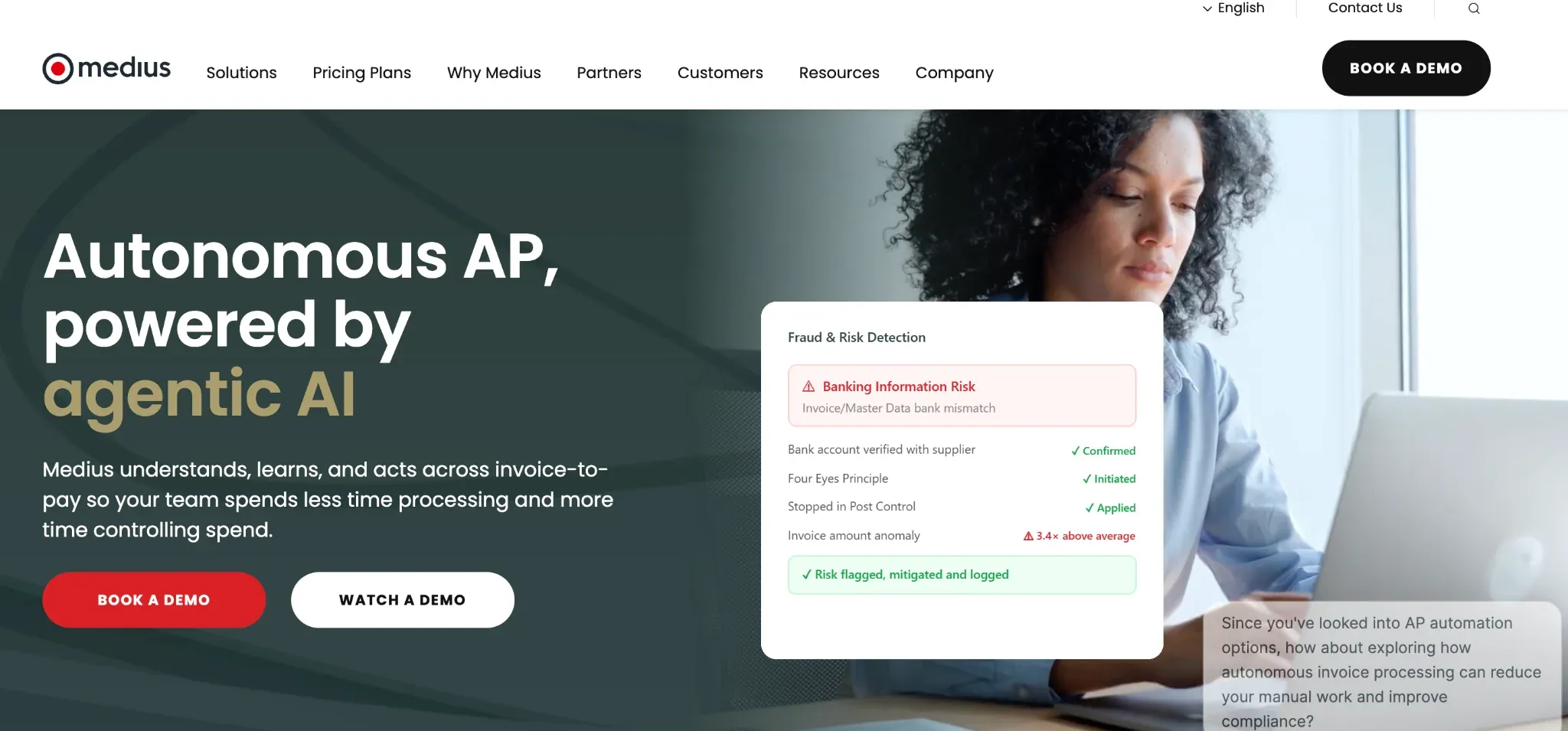
Medius centralizes AP processing across one or several ERPs. It is relevant to organizations that want a common invoice workflow while retaining their existing accounting systems and entity structures.
Key Capabilities of Medius
- Invoice capture: Processes emailed, scanned, PDF, XML, and EDI invoices.
- Matching controls: Supports PO and receipt matching with configurable tolerances.
- Non-PO processing: Uses historical coding and approval patterns to reduce repetitive work.
What Happens After Capture with Medius
For PO invoices, matching data can allow automatic approval, coding, and ERP posting. Differences outside configured tolerances enter an exception workflow for resolution.
Non-PO invoices follow a different path: Coding and routing can be automated, but invoices may still require a person’s approval.
What Your Team Needs to Configure or Integrate
Medius Connect offers managed ERP connectors, partner-led integrations, REST APIs, and iPaaS options for custom or file-based connections. A managed connector therefore does not mean every implementation is code-free or requires no outside assistance.
The AP workflow also needs matching tolerances, approval hierarchies, and reliable purchasing data. Across multiple ERPs, local accounts and entity structures must map into the centralized process.
When Medius May Not Be the Right Fit
For teams requiring invoice review and document handling entirely within their ERP, Medius introduces a separate AP application and integration layer. Its value is centralized processing, rather than keeping every activity inside the accounting interface.
Q: What does touchless invoice processing actually require? |
9. Continia Document Capture
Continia Document Capture extends Business Central with invoice capture, matching, approvals, and document archiving. It processes PDF and electronic invoices within the Business Central workflow, with a web portal for approvers who don’t work directly in the ERP.
Key Capabilities of Continia Document Capture
- PDF extraction: Captures invoice headers and line data into Business Central purchase fields.
- E-invoice import: XML formats like PEPPOL BIS 3 come in without OCR.
- Fraud check: It flags changes to previously captured data, such as bank account details.
- Web approvals: Approvers sign off in BC or in the Continia Web Approval Portal.
What Happens After Capture with Continia Document Capture
Invoices can be matched against purchase orders and posted receipts. Configured tolerances determine which differences are acceptable, allowing qualifying invoices to be approved automatically while exceptions require review.
After approval and posting, the original PDF or XML remains accessible from Business Central alongside the document history. Capture therefore feeds both invoice processing and subsequent audit retrieval.
What Your Team Needs to Configure or Integrate
The required modules depend on the workflow. Advanced Capture provides AI-enhanced line recognition; Order Matching supports purchasing-document matching and threshold-based automatic approval; Document Approval provides approval workflows and portal access.
Implementation also provides matching tolerances, approval flows, and document-processing settings. Web Approval Portal users require at least a Business Central Team Member license. These dependencies matter when budgeting beyond basic header capture.
When Continia May Not Be the Right Fit
Continia Document Capture is designed for Business Central. Organizations retaining Acumatica, Dynamics GP, or another ERP need software that supports those systems.
10. Microsoft Native Capture
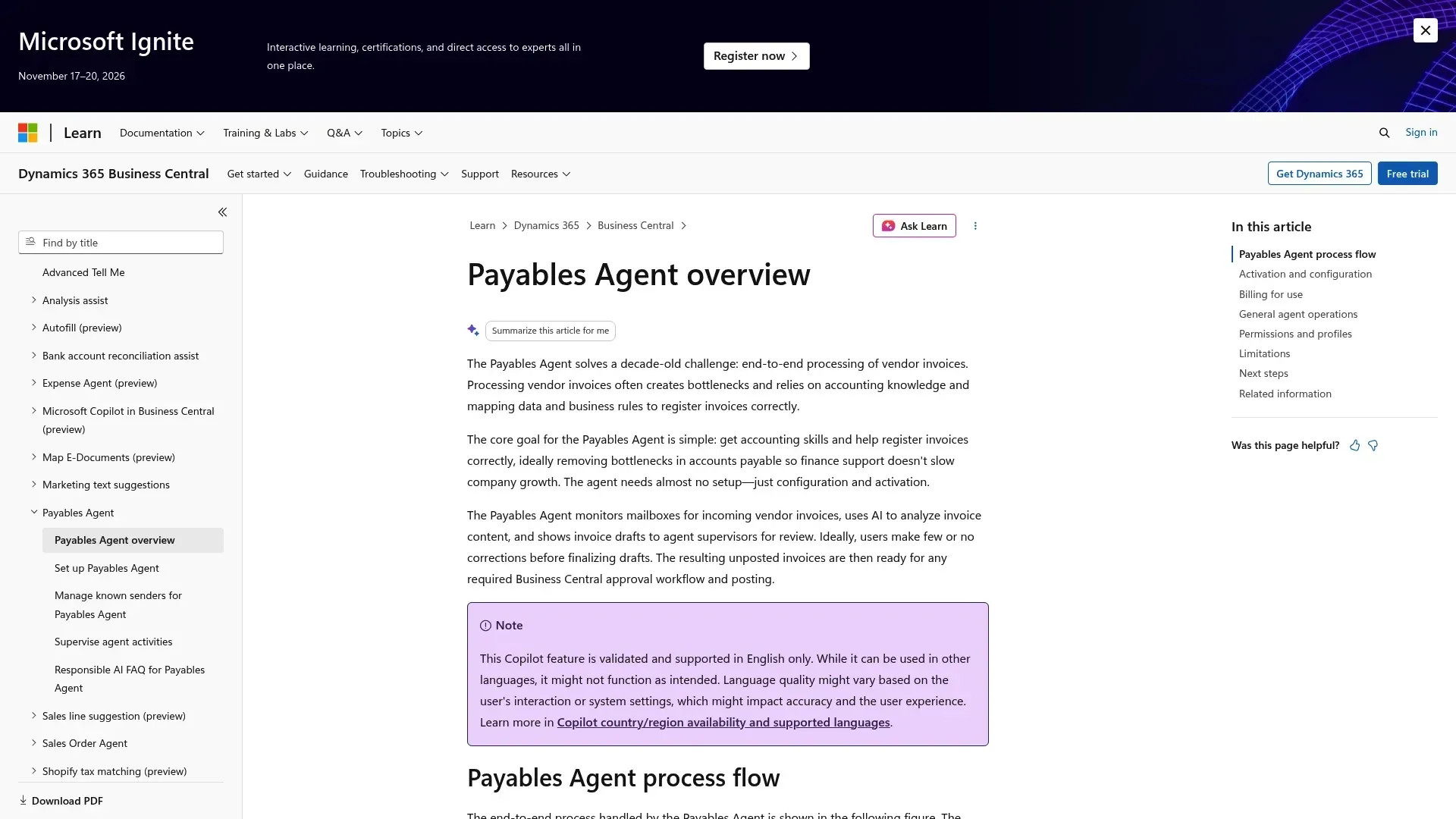
Microsoft provides two distinct capture options: Payables Agent for Business Central and Invoice Capture for Dynamics 365 Finance. They have different setup requirements, processing workflows, and billing arrangements, so you shouldn't treat them as the same feature.
Key Capabilities of Microsoft Native Capture
- Business Central intake: Payables Agent monitors a Microsoft 365 mailbox for PDF invoices.
- Vendor and PO suggestions: It uses extracted data to identify vendors and propose purchase-order lines.
- Finance invoice creation: Invoice capture turns digital invoice images into structured data for vendor-invoice processing in Dynamics 365 Finance.
What Happens After Capture with Microsoft Native Capture
In Business Central, a supervisor reviews the purchase-document draft before the agent creates an unposted invoice. Matching warnings support that review, but the agent does not automatically post invoices or replace the organization’s approval controls.
In Finance, captured data passes validation and any necessary corrections before moving into the vendor-invoice process. Transfer into Finance is a separate stage from final approval and ledger posting.
What Your Team Needs to Configure or Integrate
Business Central requires a supported environment, mailbox permissions, agent access, and consumption-based billing configuration. Finance’s Invoice capture requires an integrated Power Platform/Dataverse environment, connections, and appropriate security roles.
Finance includes 100 capture transactions per tenant per month. Microsoft lists additional capacity at $300 USD per 1,000 transactions monthly. That allowance applies to Finance’s Invoice capture, not Business Central’s Payables Agent.
When Microsoft Native Capture May Not Be the Right Fit
Business Central’s Payables Agent is validated and supported in English; Microsoft cautions that other languages may not function as intended. It also requires human review and produces unposted invoices, making it unsuitable as a standalone solution for teams that need fully unattended capture-to-posting. Those limits should not be generalized to Finance’s separate Invoice capture workflow.
Q: Do you still need a capture tool if your ERP has AI? |
Checklist to Choose Invoice OCR Software
Evaluate shortlisted tools using the same invoice sample and workflow requirements. Record extraction errors, manual corrections, and unresolved exceptions so you can compare the work each tool leaves with AP.
- Define the required output
Establish whether you need structured data, an approved vendor bill, or a posted ERP transaction. Include the steps your existing systems already handle.
- Build a representative sample
Start with a small sample of invoices covering your actual supplier layouts, multi-page documents, credit memos, and PO and non-PO purchases. Include difficult scans or handwriting if your team regularly receives them.
- Score headers and line items separately
Divide correctly extracted fields by all expected fields, counting missing values as errors. Record the corrections needed for quantities, prices, taxes, and item numbers.
- Invoice from a new vendor
Use an invoice from a supplier that isn’t in your vendor records. Check whether the system captures its details and flags the unmatched vendor, rather than assigning it to a similar supplier.
- Phone photo
Upload a real phone photo with some blur or uneven lighting. Check which fields the system can’t read confidently and whether it sends them for review instead of guessing.
- Assign integration ownership
Document responsibility for mappings, failed exports, master-data updates, and regression testing after ERP upgrades.
- Compare total operating cost
Include implementation, transaction volume, required modules, connectors, storage, support, and the staff time needed to maintain the workflow.
- Stamped or handwritten invoice
Use an invoice where a stamp covers an amount or handwriting changes a value. Check whether the affected field is flagged and whether the reviewer can compare it with the original image.
- Duplicate invoice
Upload an invoice that has already been processed, using a differently named file. Check whether the system catches it before approval, and ask what information it uses to identify duplicates.
After posting, open an invoice and confirm its original image is available from the record.
Before any demo, you can run one of your own test documents through our free OCR scanner to see what basic extraction returns.
Choose Invoice OCR Software That Reduces Manual AP Work
Choose invoice OCR software that supports the work that keeps your AP process running. If your ERP already captures invoice data, your next investment should address what remains: reconciling receipts, coding non-PO invoices, resolving discrepancies, or posting approved transactions. A tool earns its place when it removes that work without creating an integration burden your team cannot maintain.
For Microsoft Dynamics and Acumatica teams, MetaViewer connects AP automation and document management with the ERP you already use. We bring capture, validation, and approvals into a connected workflow, with supporting documents accessible alongside your accounting records. Book a MetaViewer demo to see how that workflow fits your invoice process.
FAQs
Does invoice OCR software process e-invoices?
Not always in the same way. A scanned PDF needs text recognition, but a structured e-invoice already contains data the system can read directly. Check that the tool accepts the formats your suppliers send and maps their data correctly into your AP workflow.
Can invoice OCR software process invoices in multiple languages?
Language support varies by tool. Check which languages and scripts it supports, then test invoices from your suppliers. Field labels and number formats can affect results, so testing documents in English alone may not show how well it handles other languages.
What security checks should I make before using a cloud OCR provider?
Ask where invoice files and extracted data are stored, how long they’re kept, who can access them, and whether the provider uses documents to train its models. Have your security team review the answers and the vendor’s data-handling terms before uploading real invoices.
Can invoice OCR process non-PO invoices?
It can capture the invoice data, but there’s no purchase order to match it against. Check whether the software also supports GL coding and approval for non-PO invoices, or whether you’ll need another workflow.
Can invoice OCR handle one invoice that references multiple POs?
That depends on the product and its setup. Ask the vendor to process an invoice that spans multiple POs, including a partial receipt. Then check how the matched lines appear in your ERP.