Skip to main content

Continia Document Capture gives Business Central teams a structured way to capture, process, approve, and archive invoices within their existing ERP environment. Its modules cover areas such as AI- and OCR-based data capture, order matching, document approval, and purchase contract management, making it suitable for teams that want to manage these processes through Business Central.
AP requirements and workflows often evolve as an organization grows or its finance environment changes. A team may need support for multiple ERP systems, broader document management, payment automation, procurement workflows, or a pricing model that better fits its invoice volume and deployment requirements.
In this guide, we have compared the top 8 Continia alternatives across core capabilities, pricing, ERP coverage, and available user ratings. The guide also examines how each platform differs from Continia Document Capture and what to consider when evaluating a replacement.
What is Continia Document Capture?
Continia Document Capture is an end-to-end solution for Business Central that imports, processes, registers, approves, and archives invoices and other business documents. It combines artificial intelligence with traditional optical character recognition (OCR) to read PDF and XML files, and the digital archive keeps processed documents retrievable for audit and reporting.
Module | What It Covers | Included by Default |
|---|---|---|
Essential | AI and OCR data capture, Continia Delivery Network, batch processing and registration, customizable recognition fields, and full audit trails | Yes |
Advanced Capture | AI-enhanced line recognition, item references, automatic PDF splitting, additional document categories, and automatic document movement between Business Central companies | No |
Order Matching | Matching invoices and credit memos against purchase orders, receipts, return orders, and return shipments | No |
Document Approval | Approval workflows, approver assignments and limits, automated approvals, delegation, and Web Approval Portal access | No |
Purchase Contracts | Management of purchase contracts, subscriptions, and recurring costs, including recurring invoice review and approval | No |
Caption: Continia Document Capture modules and included capabilities
What is the Cost of Continia Document Capture?
Continia Document Capture pricing for Business Central Online is based on monthly registered-document volume and the Feature Modules you need. Essential starts at $14 per month for up to 25 registered documents, while higher volumes move into higher pricing tiers. Advanced Capture, Order Matching, Document Approval, and Purchase Contracts are priced separately. Continia also offers discounts when multiple Feature Modules are activated.
Pricing Component | How It Works |
|---|---|
Essential | Starts at $14/month for up to 25 registered documents and increases with monthly volume. |
Feature Modules | Advanced Capture, Order Matching, Document Approval, and Purchase Contracts are priced separately. |
Multiple Modules | Activating a second Feature Module gives a 25% discount on that module; a third receives a 50% discount. |
Free Trial | Includes all modules for 30 days or 25 registered documents, whichever comes first. |
On-premises Licensing | Uses a different licensing model from Business Central Online and requires a Purchase or Subscription License through a Microsoft Dynamics Partner. |
Caption: Continia Document Capture pricing structure and options
5 Reasons Business Central Teams Look Beyond Continia
We reviewed Continia Document Capture’s capabilities and compared them with the eight alternatives covered in this guide. We grouped the differences into five themes to highlight areas where another platform may offer a different approach or broader functionality.
- Multi-ERP Support: Continia Document Capture is built specifically for Microsoft Dynamics 365 Business Central, while the other alternatives in this guide support multiple ERP environments. Stampli supports native functionality for more than 70 ERPs, Rillion supports multiple ERP integrations, and MetaViewer supports Microsoft Dynamics, Acumatica, and other ERPs through MetaConnect.
- Payment Automation: Continia Document Capture focuses on invoice capture, matching, approval, and document processing. Payment management is positioned as a separate Continia solution. Stampli, Rillion, Yooz, and AvidXchange cover payment capabilities as part of their broader AP platforms.
- Broader Document Management: Continia provides a digital archive and searchable documents within Business Central, but some alternatives extend document management further. MetaViewer connects invoices, contracts, and supporting documents directly to ERP records, while Zetadocs stores documents and emails in SharePoint alongside Business Central transactions. Rillion also offers centralized document and contract storage.
- Template-Free Invoice Capture: Continia relies on document templates to determine how it captures and processes incoming documents. Its documentation describes identification, master, and source templates, including vendor-specific templates. Zetadocs and Zentriq, by contrast, explicitly promote AI-driven capture without vendor templates.
- Broader Procurement and AP Scope: Continia Document Capture extends beyond invoice capture through matching, approvals, contracts, eDocuments, and related document processing. However, competing platforms focus on additional AP and procurement capabilities. Rillion includes requisitions and budget management as add-ons, Stampli includes vendor management and payments, while Zentriq offers PunchOut procurement alongside invoice automation.
Compare the 8 Continia Alternatives at a Glance
Choosing an alternative to Continia depends on the capabilities, integrations, and scope you need from an AP automation platform. Before diving into each platform's detailed capabilities, this comparison gives you a quick view of how the eight platforms differ across key areas.
Platform | Key Capabilities | Pricing | Ratings & Reviews |
|---|---|---|---|
MetaViewer | Invoice capture, 3-way matching, approval routing, non-PO coding, AP reporting | Custom pricing | G2: 4.9/5. No Capterra reviews |
ExFlow | Invoice capture, invoice matching, tolerance controls, approval workflows, Power BI dashboards | Custom pricing | No ratings or reviews available |
Stampli | Invoice processing, AI automation, PO matching, multi-entity processing, AP analytics | Custom pricing | G2: 4.8/5; Capterra: 4.8/5 |
Yooz | Omnichannel capture, AI extraction, dynamic routing, GL coding, 250+ ERP connections | Starts at £129; 15-day free trial | G2: 4.4/5; Capterra: 4.4/5 |
Rillion | Invoice capture, AI coding, 3-way matching, approval workflows, ERP connections | Custom pricing across three plans | G2: 4.2/5; Capterra: 4.2/5 |
Zetadocs Capture | AI document capture, automated data entry, order matching, self-learning, document archiving | Custom pricing | No ratings or reviews available |
AvidXchange | Invoice automation, purchase automation, payment automation, AI-enhanced processing, 240 accounting integrations | Custom pricing | G2: 4.4/5; Capterra: 4.4/5 |
Zentriq | Business Central Agent, invoice capture, purchase orders, financial reporting, permission-based access | Free tier; paid plans vary | No ratings or reviews available |
Caption: Continia alternatives at a glance
Top 8 Continia Alternatives to Evaluate in 2026
The right Continia alternative depends on what you need to replace or add to your current setup. Some platforms focus on invoice capture and processing, while others extend into document management, approvals, payments, procurement, or broader ERP integrations.
The eight Continia alternatives covered in this guide are:
- MetaViewer
- ExFlow
- Stampli
- Yooz
- Rillion
- Zetadocs Capture
- Zentriq
- AvidXchange
The following section compares each platform’s capabilities, integrations, pricing, and key differences in more detail:
1. MetaViewer
Best For: Finance teams using Microsoft Dynamics or Acumatica that need AP automation with document management
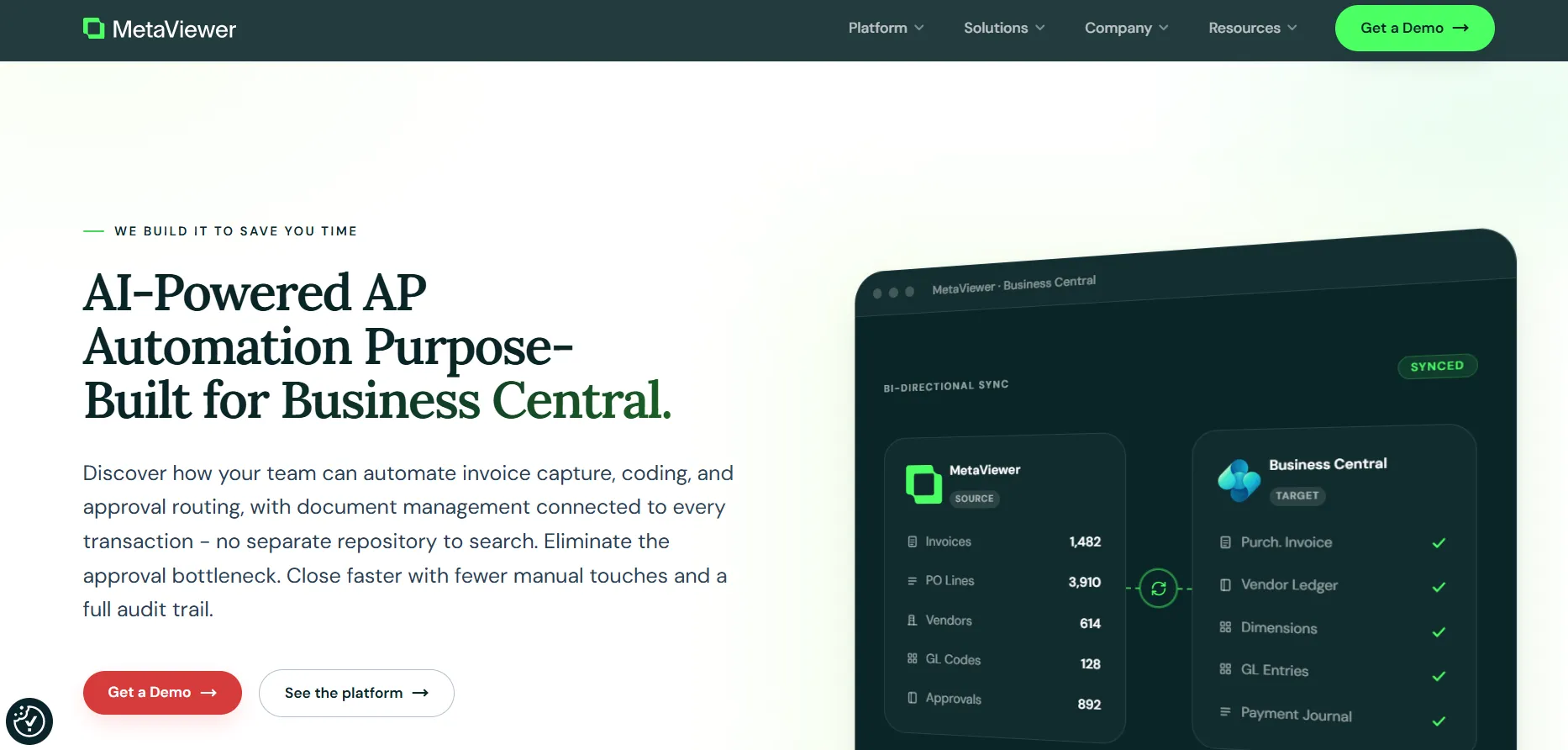
MetaViewer is an AI-powered accounts payable automation and document management platform from Metafile Information Systems. It is designed for finance teams that want to manage invoice-related processes while keeping financial documents connected to their ERP environment.
MetaViewer primarily serves mid-market organizations using Microsoft Dynamics or Acumatica and addresses the administrative work involved in processing, organizing, approving, and retrieving AP documents.
- Invoice Capture: Extracts invoice data at line-item level, including quantities, prices, item numbers, and GL details.
- 3-Way Matching: Matches invoice lines against Business Central purchase orders and receipts for quantity, price, and item variances.
- Approval Routing: Routes invoices using vendor, GL account, dimension, amount, or entity-based approval rules.
- Non-PO Coding: Applies intelligent GL coding to non-PO invoices using vendor history, coding patterns, and chart-of-accounts data.
- AP Reporting: Provides filterable reporting on invoice status, aging, vendor volume, approvers, and processing time.
MetaViewer Case Study: Leeco Steel
Leeco Steel, a steel supplier operating across multiple locations, replaced its legacy imaging system with MetaViewer on Microsoft Dynamics GP to automate AP and document workflows.
The company was processing about 3,000 invoices through AP before implementation. With MetaViewer, that volume increased to 3,600 invoices, a 20% increase. MetaViewer also automated PO reconciliation at month-end, reducing the company’s Received Not Invoiced (RNI) balance from $8 million to $1 million.
The implementation covered invoice scanning and electronic invoice imports, indexing, approval routing, archiving, and PO reconciliation. MetaViewer was also extended to Leeco’s Accounts Receivable (AR) department to consolidate related documents into customer communications.
Key results
- 20% more invoices processed after implementation
- $7 million reduction in the RNI balance
- Automated PO reconciliation at month-end
- Expanded use across AP and AR through the same Dynamics GP environment
Metaviewer Ratings
Category | G2 Rating |
|---|---|
Overall | |
Ease of Use | 10 |
Quality of Support / Customer Service | 9.2 |
Ease of Admin / Features | 9.3 |
Good Partner / Value for Money | 10 |
Note: No Capterra ratings or review scores are currently available for MetaViewer, so Capterra data is not included in this comparison
2. ExFlow
Best For: Microsoft Dynamics 365 Business Central and Finance users managing invoice workflows within their ERP
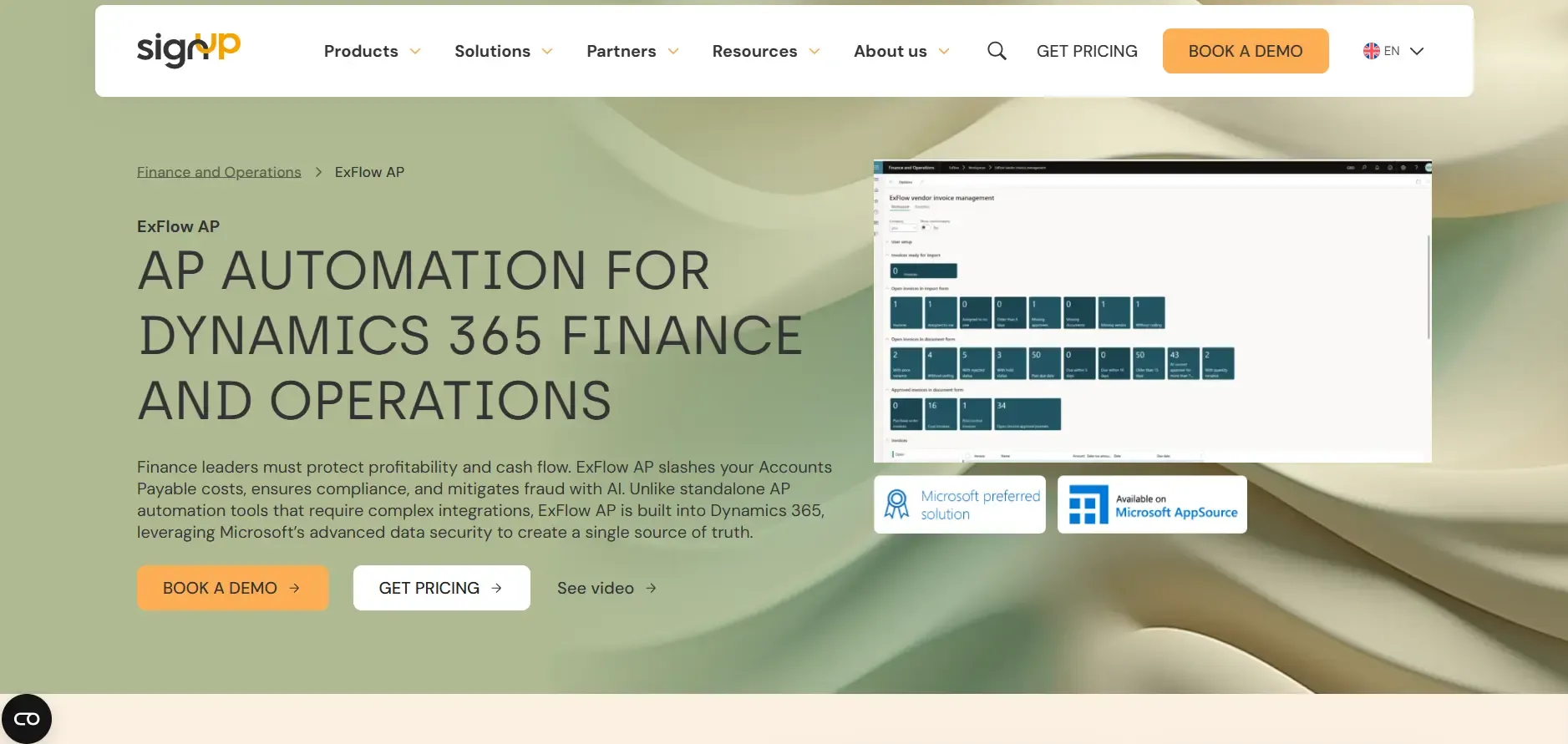
ExFlow is an accounts payable automation solution from SignUp Software for Microsoft Dynamics environments, including Dynamics 365 Business Central. It is intended for organizations that want to manage supplier invoice processing within their existing Dynamics-based financial system.
ExFlow’s Key Features
- Invoice Data Capture: Extracts vendor, invoice, amount, due date, PO, and line-item data using integrated data capture.
- Invoice Matching: Matches invoices against purchase orders, projects, and goods receipts using header- or line-level matching.
- Tolerance Controls: Supports configurable tolerance and exception management for invoice matching.
- Approval Workflows: Provides dynamic workflows, line-level approval, approval history, and approval access across devices.
- Power BI Dashboards: Provides Power BI dashboards for tracking invoice import, approval, posting, and AP automation KPIs.
ExFlow’s Pricing
SignUp Software does not publish ExFlow pricing publicly. Pricing is provided after submitting a request through its website. ExFlow is available for Microsoft Dynamics 365 Finance and Operations and Business Central.
ExFlow’s Ratings
No ratings or reviews were available for ExFlow on the review platforms assessed, so user-review data was not included in the comparison
3. Stampli
Best For: AP teams seeking centralized invoice management and approval workflows across ERP environments
Stampli is an accounts payable automation platform for organizations that want to manage invoice-related work through a centralized AP environment connected to their ERP. It covers AP automation, procure-to-pay software, and processes that involve invoice management, approvals, vendor interactions, and payments.
Stampli focuses on bringing invoice-related work and financial process information into a common system to avoid managing AP through disconnected email, documents, and accounting workflows.
Stampli’s Key Features
- Invoice Processing: Automates invoice capture, coding, and approval within the AP workflow.
- AI Automation: Billy uses AI to automate capture, coding, routing, fraud detection, and other manual AP tasks.
- PO Matching: Supports two- and three-way matching, partial amounts, line-item updates, and additional line items.
- Multi-Entity Processing: Processes invoices across departments, offices, companies, and locations within one AP system.
- AP Analytics: Provides built-in analytics and reporting for invoices, employee productivity, and AP processes.
Stampli’s Pricing
Stampli does not publish pricing on its website. Pricing details are provided directly by Stampli based on the customer’s requirements, so prospective buyers need to contact the company for a quote.
Stampli’s Ratings
Category | G2 Rating | Capterra Rating |
|---|---|---|
Overall | ||
Ease of Use | 9.3 | 4.8 |
Quality of Support / Customer Service | 9.4 | 4.7 |
Ease of Admin / Features | 9.3 | — |
Good Partner / Value for Money | 9.5 | 4.2 |
4. Yooz
Best For: Finance teams looking for cloud-based AP automation with broad ERP connectivity
Yooz is a cloud-based accounts payable automation platform designed to digitize and manage the supplier invoice process. It is intended for finance and AP teams that want to move from manual invoice handling to a centralized digital workflow connected with their accounting environment. Yooz is used by organizations that need to manage accounts payable across routine invoice processing and approval activities.
Yooz’s Key Features
- Omnichannel Capture: Accepts invoices through email, scanning, mobile, cloud storage, Secure File Transfer Protocol (SFTP), vendor portals, and electronic formats.
- AI Data Extraction: Extracts invoice information such as vendor details, invoice numbers, dates, and amounts.
- Dynamic Routing: Routes invoices using configurable workflows and machine learning, with reminders and escalations.
- GL Coding: Suggests General Ledger (GL), PO, tax, and dimension allocations using automated and self-learning processes.
- ERP Integration: Connects AP workflows with more than 250 financial systems through ERP connectors.
Yooz’s Pricing
Yooz offers a 15-day free trial with no commitment. Its Business Edition starts at £129, with subscription pricing based on document volume and unlimited users. The website states there are no hidden costs and includes access to automatic updates and ongoing assistance.
Yooz’s Ratings
Category | G2 Rating | Capterra Rating |
|---|---|---|
Overall | ||
Ease of Use | 9.3 | 4.3 |
Quality of Support / Customer Service | 9.4 | 4.3 |
Ease of Admin / Features | 9.3 | — |
Good Partner / Value for Money | 9.5 | 4.3 |
5. Rillion
Best For: Mid-sized and large organizations managing AP across multiple entities or ERP systems
Rillion is an accounts payable automation platform designed for finance teams that need to manage supplier invoices and related AP processes in a centralized system. It is intended for mid-sized and larger organizations, including companies operating across multiple entities or ERP environments. Rillion covers organizations looking to replace manual AP administration with a structured digital process that connects invoice work with the financial systems used by the organization.
Rillion’s Key Features
- Invoice Capture: Extracts vendor details, line items, and amounts from paper or digital invoices using AI.
- AI Coding: Suggests GL accounts and cost centers based on historical invoice coding patterns.
- 3-Way Matching: Automatically matches invoices with purchase orders and receipts, flagging discrepancies for review.
- Approval Workflows: Uses AI to predict approvers or applies predefined rules to route invoices.
- ERP Connections: Supports multiple ERP connections within its multi-entity AP environment.
Rillion’s Pricing
Rillion offers three plans:
- Essential
- Professiona
- Premium
Pricing is tailored to customer needs and invoice volume, with unlimited users, approvers, and entities across all plans. Higher tiers add AI-powered automation, advanced analytics, contract automation, and additional service options. Invoice capture, PO matching, requisitions, budget management, and payments are available as add-ons.
Rillion’s Ratings
Category | G2 Rating | Capterra Rating |
|---|---|---|
Overall | ||
Ease of Use | 8.8 | 4.3 |
Quality of Support / Customer Service | 8.0 | 4.1 |
Ease of Admin / Features | 8.7 | — |
Good Partner / Value for Money | 8.6 | 4.0 |
6. Zetadocs Capture
Best For: Microsoft Dynamics users focused on invoice capture and document management
Zetadocs Capture is a document capture and accounts payable automation solution developed for Microsoft Dynamics environments. It covers document capture and AP automation, with a particular focus on Microsoft Dynamics users. It is generally relevant to finance teams looking to reduce manual document handling and manage invoice information as part of their existing accounting workflows.
Zetadocs’ Key Features
- AI Document Capture: Uses AI-driven Optical Character Recognition (OCR) to extract invoice data and enter it into Business Central.
- Automated Data Entry: Creates purchase invoices or credit memos with header and line information entered automatically.
- Order Matching: Automates matching between captured invoice information and orders in Business Central.
- Self-Learning: Remembers GL accounts or item codes assigned to specific invoice lines for future processing.
- Document Archiving: Stores documents alongside Business Central transactions for retrieval through Business Central or Microsoft 365.
Zetadocs’ Pricing
Zetadocs does not publish pricing on its website. Pricing details are not listed publicly, so prospective customers need to contact Equisys or request information directly to determine the cost for their requirements.
Zetadocs’ Ratings
No ratings or reviews were available for Zetadocs on the review platforms assessed, so user-review data was not included in the comparison
7. AvidXchange
Best For: Organizations seeking AP automation that combines invoice processing with supplier payment workflows
AvidXchange is an accounts payable automation and payment platform that manages the invoice-to-payment process for organizations seeking to digitize their AP operations. It helps finance and accounts payable teams to centralize their existing systems handling supplier invoices, approvals, and payments alongside their accounting environment.
AvidXchange’s Key Features
- Invoice Automation: Automates invoice processing as part of an end-to-end digital AP workflow.
- Purchase Automation: Provides purchase automation within its AP automation platform.
- Payment Automation: Automates payment processes as part of the invoice-to-payment workflow.
- AI-Enhanced Processing: Uses AI-enhanced capabilities within its AP automation solutions.
- Accounting Integrations: Provides 240 integrations connecting AP processes with existing accounting systems.
AvidXchange’s Pricing
AvidXchange does not publicly disclose its pricing on its website. Pricing is tailored to each customer’s requirements, so prospective buyers need to contact AvidXchange directly for pricing information.
AvidXchange’s Ratings
Category | G2 Rating | Capterra Rating |
|---|---|---|
Overall | ||
Ease of Use | 8.6 | 4.2 |
Quality of Support / Customer Service | 7.8 | 4.0 |
Ease of Admin / Features | 8.1 | — |
Good Partner / Value for Money | 8.4 | 4.2 |
8. Zentriq
Best For: Business Central users looking for AI-powered ERP automation and document processing
Zentriq is an AI software platform built specifically for Microsoft Dynamics 365 Business Central. It belongs to the Business Central automation and AI assistant category and is intended for finance, purchasing, and operations teams working within Business Central. The platform connects natural-language interaction with Business Central data and business processes, allowing users to work with ERP information through an AI-driven interface.
Zentriq Key Features
- Business Central Agent: Uses natural-language requests to query and act on Business Central data within the user’s permissions.
- Invoice Capture: Extracts invoice data from PDFs or images and creates purchase invoice records in Business Central.
- Purchase Orders: Creates purchase orders from natural-language instructions within Business Central.
- Financial Reporting: Generates financial dashboards, KPI cards, charts, and reports from Business Central data.
- Permission-Based Access: Uses OAuth 2.0 delegated access and inherits the Business Central user’s existing permissions.
Zetadocs’ Pricing
Zentriq offers free access to its AI tools with usage limits. Zentriq Agent includes 15 free messages monthly, while PunchOut and Document Capture each include eight free uses. Paid pricing varies by product, with Agent billed per user and PunchOut and Capture billed per company. Custom annual pricing is available based on volume.
Zentriq’s Ratings
No ratings or reviews were available for Zentriq on the review platforms assessed, so user-review data was not included in the comparison
Compare Commercial Scope and Deployment Separately
Business Central integration does not indicate where the AP application runs, where invoice records are stored, or how much of the workflow exists within Business Central. Confirm the application architecture, document storage, and retention terms before comparing vendors.
Pricing also needs a closer look. Subscription fees may exclude implementation, integrations, document storage, transaction volume, or additional modules. Compare the full commercial scope rather than the headline price.
The table below covers integration, deployment, and pricing questions across the eight shortlisted Continia alternatives:
Product | Integration and Document Scope | Deployment Questions | Pricing Questions |
|---|---|---|---|
MetaViewer | ERP-connected AP workflows, searchable documents, and audit trails | Supports cloud and on-premises deployment | Custom quote; unlimited capture with no per-invoice fees |
ExFlow | AP automation within Dynamics; separate capture component and invoice archive | Confirm the supported configuration and hosting model for each component | Confirm licensing basis, capture costs, and included components |
Stampli | Business Central integration through an API connector; confirm document retention and access | Confirm application hosting separately from Business Central compatibility | Confirm subscription, implementation, and any usage-based charges |
Yooz | Business Central integration; confirm connector scope and how documents are stored and accessed | Cloud-based AP platform | Confirm subscription structure, document-volume allowances, and included services |
Rillion | Business Central integration with AP and document management capabilities | Confirm deployment and document-storage architecture | Confirm plan, volume, add-on, and implementation costs |
Zetadocs Capture | Business Central document capture with archiving capabilities | Confirm edition, hosting arrangement, and archive location | Per-page pricing is described; confirm current rates and included services |
AvidXchange | Business Central synchronization with invoice, purchase, and payment workflows | Confirm application hosting and document-retention model | Unlimited users and approvers are stated; confirm other applicable charges |
Zentriq | Business Central invoice capture and related ERP automation | Confirm how captured documents and downstream records are stored | Confirm document/message allowances and paid usage rates |
Caption: Integration, deployment, and pricing considerations for Continia alternatives
Calculate the Full Cost of Replacing Continia
Before switching to a Continia alternative, confirm the migration, ownership, and cost assumptions that will affect the switch from Continia. Use the following checklist with the shortlisted vendor and your Business Central partner.
- Historical records: Confirm which invoices, supporting documents, and audit records can be exported from the current archive and in what format.
- Document links: Verify that links between posted Business Central transactions and supporting documents will remain accessible after migration.
- Parallel operation: Define how long both systems will run together and which system will be the system of record during the transition.
- Workflow configuration: Assign responsibility for rebuilding approval rules, coding rules, and matching tolerances, and define who signs off on testing.
- Open invoices: Document how invoices already in the approval or matching workflow will be handled at cutover.
- Post-launch support: Establish who owns failed synchronization, integration issues, and document-access problems after go-live.
- Month-end testing: Run the parallel setup through a complete month-end close so you can test approvals, matching exceptions, reconciliation, and document retrieval under normal close conditions.
- Two-year cost model: Compare software, implementation, storage, support, and internal costs over at least two years.
For the business case, use the same invoice volume, processing cost, implementation cost, and subscription assumptions for every finalist.
MetaViewer's ROI calculator helps you adjust invoice volume, current and projected processing costs, annual subscription, and implementation costs to estimate annual savings, payback, and three-year ROI. Treat the output as an estimate and validate the assumptions with each vendor. |
Match Each Continia Alternative to your AP and ERP Requirements
The best Continia alternative depends on your ERP setup, deployment requirements, and the AP processes you need to support. We have defined a few common scenarios below to see which alternatives align with your current systems, workflow requirements, document needs, and pricing expectations before moving to a detailed vendor evaluation:
Your Situation | What to Evaluate | Shortlist / Next Step |
|---|---|---|
Business Central is your only ERP | Compare invoice capture, matching, approvals, and document management within Business Central. | Test Zetadocs Capture and ExFlow against your current Continia setup. |
Business Central + Dynamics 365 Finance and Operations | Confirm whether one AP workflow can cover both ERP environments. | Evaluate ExFlow and MetaViewer for cross-ERP coverage. |
Business Central + Dynamics GP or Acumatica | Test whether invoices, approvals, and supporting documents can move across both environments. | Evaluate MetaViewer through MetaConnect. |
Migrating from Dynamics GP to Business Central | Test both systems during the transition, including open invoices and document access. | Run a parallel pilot across both ERP environments before cutover. |
Need pricing before contacting sales | Compare published pricing structures and volume assumptions. | Review Zetadocs Capture’s per-page model and Continia’s pricing calculator as reference points. |
Approvers do not have Business Central licenses | Test approval access, authentication, and workflow completion outside Business Central. | Ask each finalist to demonstrate external approval using your approval hierarchy. |
On-premise deployment is required | Confirm where the AP application runs and how documents are stored. | Verify the vendor’s AP application hosting model separately from Business Central compatibility. |
Documents need to be accessible across AP, AR, HR, and Legal | Assess repository scope, search, retention, and access controls beyond invoice records. | Evaluate enterprise document management capabilities rather than invoice capture alone. |
Invoice volume changes with production cycles | Model costs at average and peak volumes using the same assumptions for every vendor. | Compare per-document, per-page, subscription, and quoted pricing across your expected volume range. |
Caption: Matching Continia alternatives to ERP, deployment, and AP requirements
Test the Right Continia Alternative With a Pilot
Before replacing Continia Document Capture, test the shortlisted platforms against the invoice conditions your AP team actually handles. Give every finalist the same anonymized invoice set, including a clean PO invoice, a partially received order, a price variance outside tolerance, and a non-PO invoice requiring coding and approval.
Measure the same outcomes for every platform. Track human interventions, whether the invoice reaches your defined endpoint, and whether the supporting document remains accessible after posting.
Keep Continia in the pilot as your baseline. If another platform resolves a documented workflow issue without creating disproportionate implementation or operating costs, it has a stronger case for replacement. If Continia meets the requirements with manageable configuration, switching may not be necessary.
If MetaViewer is on your shortlist, book a demo and bring representative invoices, approval rules, and ERP requirements. Our team can walk through capture, matching, approvals, and document access against your workflow.
FAQs
1. Can we retain historical Continia documents after switching?
Establish a retention and access plan before removing the current setup. Ask which files and audit records can be exported, how existing links will behave, and who needs continued access. Have the replacement vendor explain its import options. The sources reviewed here do not establish automatic migration of historical Continia records into any shortlisted product.
2. What happens to Business Central data when you change AP automation platforms?
The effect depends on the integration architecture of the replacement platform. Confirm which information is written back to Business Central, where invoice images and supporting documents are stored, and whether posted transactions retain access to those documents. These details should be documented before implementation, so the replacement does not create gaps in record access.
3. How can we compare Touchless Processing fairly?
Use the same invoices and the same completion endpoint. Count every human correction or approval required within that agreed workflow. Report results by invoice type as well as across the full set, so a large share of easy invoices does not hide difficulty with partial receipts or non-PO exceptions.
4. What security and compliance evidence should we request from an AP vendor?
Invoices contain bank details and vendor data, so ask for documentation, not just assurances. Request current independent audit reports or certifications, and ask where your data is hosted and how it is encrypted. Ask what single sign-on, role-based access, and audit logging are available, and how quickly the vendor notifies customers of incidents. If your approvers or auditors are outside your Microsoft tenant, ask how their access is authenticated and logged.
5. What determines how long a Continia migration will take?
Timelines depend on your setup, so treat any fixed number from a vendor as an estimate to test. The main drivers are how many ERP entities are involved, how many approval and coding rules must be rebuilt, and how many vendors need recognition set up. Your integration needs, the amount of historical document access you require, and how long you plan to run in parallel also matter. Ask each finalist for a phased plan with named milestones. Ask which of them depend on your team's time and which on the vendor's.