Skip to main content

Many “best invoice automation software” lists compare products that solve different problems. Some platforms process incoming supplier invoices for accounts payable. Others mainly help businesses create and send invoices to customers.
For AP teams, there is no universal best platform. The right choice depends on your exact ERP edition, invoice mix, matching requirements, exception workflow, and whether you need invoice processing alone or a broader spend-and-payment suite.
This guide compares 10 options for automating supplier invoices. It uses an ERP-first framework, explains how the products differ, and gives you a practical scorecard for vendor demos.
If you are still defining the workflow, start with this overview of an automated invoice processing system.
10 Best Invoice Automation Software at a Glance
The table below compares the platforms by capabilities, packaging, integrations, and price.
Here’s the table in the same format as your reference, ready to copy into your CMS.
Software | Best For | Core Scope | Pricing | Check Before Buying |
|---|---|---|---|---|
MetaViewer | Business Central teams | AP automation + document management; SaaS is currently BC-only | Custom quote | Product version, connector type, write-back |
Stampli | Teams needing collaborative AP | Procure-to-pay, invoice workflows, payments | Contact sales | ERP fit, matching, payment scope |
Tipalti | Global payables | AP, supplier onboarding, payments, tax compliance | From $99/month, plus transaction fees | Modules, fees, services, ERP data flow |
Yooz | Cloud AP automation | Invoice capture, matching, approvals | Custom pricing | ERP support, volume limits, implementation |
Rillion | Multi-entity or multi-ERP teams | ERP-connected AP, matching, approvals | Custom pricing | ERP support, deployment, synchronization |
AvidXchange | Mid-market AP teams | Invoice processing, supplier payments | Custom pricing | Supplier fees, matching, ERP write-back |
Medius | Complex AP environments | AP and procure-to-pay workflows | Custom pricing | Modules, ERP features, payment scope |
Rossum | High-volume invoice capture | Document extraction, validation, workflow automation | From $18,000/year | Whether AP features like approvals and payments are included |
BILL | Small and lower-mid-market teams | AP, AR, spend, and expenses | $49–$89/user/month; Enterprise by quote | Plan limits, fees, add-ons, ERP integration |
SAP Concur Invoice | SAP or Concur customers | Invoice management and spend controls | Custom pricing | ERP fit, modules, implementation, mid-market fit |
Caption: Invoice Automation Tools Compared by ERP Fit, Features, and Pricing
Use this comparison to build your shortlist. Ask each vendor to demonstrate your invoices and exceptions in your exact ERP environment before making a decision.
How We Evaluated Each Software Mentioned in This Guide
We compared the tools based on everyday AP tasks: Capturing invoice details, matching them to purchase orders, obtaining approvals, and sending approved invoices to the ERP. We also looked at how each tool handles errors or mismatches.
The comparison considers:
- ERP compatibility: Whether the tool supports your ERP edition and how it exchanges data with that system.
- Invoice processing: How it captures invoice details, checks for errors, matches invoices to purchase orders, and codes invoices without a PO.
- Workflow controls: How invoices reach the right approver and who handles errors or mismatches.
- Operational fit: Whether the tool can handle your invoice volume and support multiple business entities.
- Implementation and cost: Who handles setup, what support is available, which costs are included, and what requires an additional fee.
We based each platform’s feature descriptions on its official product pages and integration documentation. Where available, we’ve included publicly listed pricing.
MetaViewer publishes this guide and is included in the comparison. We assess every platform based on the above-mentioned criteria.
Invoice Automation Software vs. Customer Invoicing Software
Invoice automation software can refer to two different workflows.
One is AP invoice automation software, which processes invoices you receive from suppliers.
The second is customer invoicing software, which creates invoices you send to customers and helps you collect payments.
The difference is whether your business owes money or is owed money.
Here’s how that changes the work each tool handles:
Task | AP Invoice Automation | Customer Invoicing and Billing |
|---|---|---|
Handle invoices | Receive and process supplier invoices | Create and send customer invoices |
Manage amounts owed | Review and approve bills your business needs to pay | Track customer balances and collect payments |
Check transaction details | Match invoices against purchase orders and goods received | Check customer charges against agreed prices or billing terms |
Update financial records | Post approved supplier invoices to your ERP or accounting system | Record customer invoices and incoming payments |
Caption: How AP Invoice Automation Differs From Customer Invoicing
Some products support both workflows. This guide focuses on AP invoice automation, so we compare how each tool processes supplier invoices and works with your existing ERP.
10 Best Invoice Automation Software Options for 2026: An In-Depth Comparison
MetaViewer: Best for ERP-Connected AP and Document Workflows
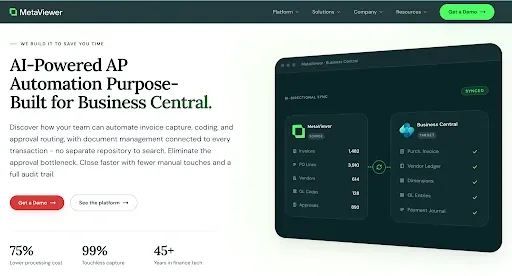
Before approving an invoice, your team may need to check its purchase order or receipt. We keep the invoice and its supporting documents together during review, then send the approved invoice to Business Central. Our AP product is built primarily for Business Central.
Key Features of MetaViewer
Our current AP product is built primarily for Business Central. Here’s how we help teams manage invoice work:
- Line-item capture: We capture quantities, unit prices, item numbers, and accounting details from invoices to reduce manual entry.
- Three-way matching: We compare invoice lines with Business Central purchase orders and receipts, then flag mismatches for review.
- Non-PO coding: For invoices without a purchase order, we use vendor history and past coding patterns to suggest GL codes.
- Flexible approvals: We route invoices using rules such as amount or business entity, and support backup approvers and delegation.
- Connected documents: We link supporting files to ERP records, so your team can find invoice backup without searching through separate folders.
Our AP product’s invoice capture, matching, coding, and approval capabilities are described on our AP automation page.
ERP Integration with MetaViewer
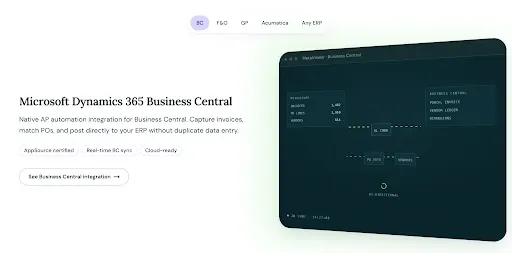
MetaViewer offers native Business Central integration. Its integration page also lists Dynamics GP, Dynamics 365 Finance and Operations, and Acumatica, with MetaConnect providing a connection path for other ERP environments. The product and integration setup depend on your ERP.
Customer Story |
MetaViewer Pricing
We don’t publish standard pricing because costs depend on your ERP setup and AP needs.
Book a demo to walk through your AP workflow with us. We’ll show you how MetaViewer works and discuss pricing for your needs.
Stampli: Best for Collaborative Invoice Workflows
Stampli keeps invoice questions and documents together. That way, your team can review and approve bills in one place. It also offers tools for other purchasing tasks.
Key Features of Stampli
- Invoice-centered collaboration: Keeps questions and responses on the invoice, making it easier to follow decisions.
- AI-assisted processing: Billy, Stampli’s AI assistant, helps capture invoice data, code transactions, match purchase orders, and route approvals.
- PO matching: Supports two-way and three-way matching, with discrepancies displayed beside the invoice and PO details.
- Duplicate warnings: Flags potential duplicate invoices for review before they move further through processing.
- Audit history: Provides access to invoice conversations and activity records, helping teams trace how an invoice was handled.
ERP Integration With Stampli
Stampli’s listed integrations include Business Central, Dynamics GP, Dynamics 365 Finance, Acumatica, NetSuite, and Sage Intacct. Integration capabilities vary by system, so confirm the supported invoice and purchasing data for your ERP edition.
Stampli Pricing
Stampli provides pricing through its sales team, with costs depending on the capabilities you need. Request a quote for your AP requirements and confirm which payment services are included.
Tipalti: Best for Global Payables and Tax Complexity
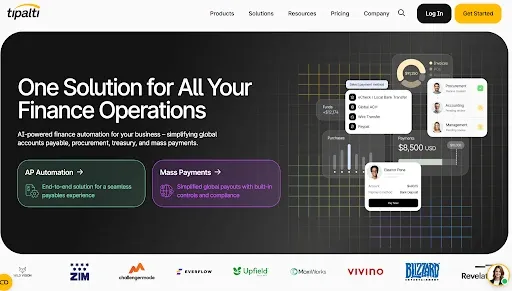
Tipalti connects supplier onboarding with invoice processing and payments. Suppliers can submit their details through a self-service portal, while your AP team reviews invoices and routes them for approval. Its broader payment and tax capabilities make it relevant when paying suppliers involves different currencies or tax documentation.
Key Features of Tipalti
- Invoice capture: Extracts invoice data from submitted documents to reduce manual entry.
- PO matching: Supports two-way and three-way matching, highlighting discrepancies for review.
- Approval workflows: Routes invoices to approvers using configurable rules.
- Supplier onboarding: Collects supplier information and payment details through a self-service portal.
- Tax and global payments: Supports W-9 and W-8 collection alongside international supplier payments. Availability depends on the selected package.
ERP Integration With Tipalti
Tipalti lists integrations with NetSuite, Business Central, Dynamics GP, and SAP Business One, among other systems. Its NetSuite connection synchronizes supplier records, purchase orders, invoices, payments, and accounting data, while NetSuite remains the financial system of record.
Tipalti Pricing
AP plans start at $99 per month, with unlimited users and a self-service supplier portal. Invoice and payment transaction fees apply separately. Additional modules increase the cost, and complex implementations may require paid professional services.
Yooz: Best for Cloud AP Workflow Automation
Yooz captures supplier invoices and extracts their details, then routes them through matching and approval. Your team can track invoices through the workflow and review discrepancies that need attention. It can serve as an invoice-to-pay layer alongside your ERP or extend into
Key Features of Yooz
- Invoice capture: Accepts invoices through email, file uploads, and mobile photos, then extracts the data.
- PO matching: Supports two-way and three-way matching to check invoices against purchase orders and receipt records.
- Approval routing: Sends invoices through configurable workflows based on your approval process.
- Exception handling: Highlights discrepancies so your team can review and resolve them.
- Processing visibility: Provides dashboards and reporting to help your team monitor invoice progress.
ERP Integration With Yooz
Yooz lists integrations with NetSuite, Sage Intacct, Microsoft Dynamics, and Acumatica, among other systems. The available data flows and matching capabilities depend on the connected system and configuration.
Yooz Pricing
Yooz prices its Gold Edition subscription by the volume of documents processed, with unlimited users. It also includes four hours of initial service and offers a 15-day free trial.
Rillion: Best for Multi-Entity or Multi-ERP Teams
Rillion brings invoices from different business entities into one AP workspace. Your team can monitor invoice progress across the organization while keeping approval workflows tailored to each entity. It also supports connections to multiple ERPs, helping a shared AP team work across businesses that use different systems.
Key Features of Rillion
- Invoice capture: Extracts data from PDFs, electronic invoice files, and scanned paper invoices.
- Invoice coding: Supports coding rules, with AI-powered coding available in Professional and Premium plans.
- Three-way matching: Checks invoices against purchase orders and receipts to identify discrepancies.
- Approval workflows: Routes invoices using preset rules or AI suggestions, with mobile and email approval options.
- Multi-entity management: Provides visibility across companies while supporting entity-specific workflows and multiple ERP connections.
ERP Integration With Rillion
Rillion lists prebuilt integrations for Business Central, Dynamics 365 Finance, Dynamics GP, NetSuite, Sage Intacct, and SAP Business One, among other systems.
Rillion Pricing
Rillion offers Essential, Professional, and Premium plans, with pricing available through its sales team. All plans list unlimited companies and users, plus multi-ERP support. AI-powered coding and workflows require Professional or Premium, while purchasing and US payment capabilities are listed as add-ons.
AvidXchange: Best for Mid-Market AP and Supplier Payments
AvidXchange offers separate products for invoice processing and payments. AvidInvoice captures supplier invoices and routes them for approval. AvidPay handles supplier payments, allowing teams to connect approved bills with payment execution. Businesses can use individual products or combine them into a broader purchase-to-pay workflow.
Key Features of AvidXchange
- Invoice capture: Extracts data from emailed or scanned invoices, with indexing specialists available to provide additional validation.
- PO matching: Supports two-way and three-way matching, comparing invoice line items with purchasing records.
- Approval workflows: Routes invoices through configured approval steps while keeping approvers in control of decisions.
- Supplier payments: Offers payment options including virtual cards, ACH, and checks through its payment services.
- AP visibility: Provides reporting on invoice status, approval cycle times, and payment activity.
ERP Integration With AvidXchange
AvidXchange lists integrations with NetSuite, Acumatica, Microsoft Dynamics, and Sage, among other accounting systems. Its Microsoft integration page specifically identifies Business Central and Dynamics GP. Matching capabilities and data exchange depend on the product and ERP connection, so confirm the setup available for your edition.
AvidXchange Pricing
AvidXchange provides custom quotes based on business requirements. Ask for a breakdown of the invoice-processing and payment products included, along with any implementation or transaction fees.
Already running Dynamics or Acumatica? |
Medius: Best for Complex AP and Spend Controls
Medius automates supplier invoice processing, from capturing data to matching invoices and obtaining approvals. Teams can start with AP automation and add purchasing or payment capabilities as needed. This makes it relevant for businesses that want to connect invoice processing with controls over how money is spent.
Key Features of Medius
- Invoice capture: Uses OCR and AI to extract invoice data and reduce manual entry.
- Automated matching: Checks invoices against purchase orders and receipt records, helping identify discrepancies before payment.
- Approval workflows: Routes invoices through configured approval processes.
- AP analytics: Provides reporting to help finance teams monitor invoice processing and spend.
- Fraud and risk detection: Available in AP 360, adding controls beyond the core invoice-processing package.
ERP Integration With Medius
Medius connects to ERP and accounting systems through prebuilt connectors, an integration platform, and REST APIs. These connections synchronize vendor records and invoice data, including payment information.
Medius Pricing
Medius offers AP Essentials and AP 360, both with custom pricing and unlimited users. AP Essentials includes one entity, while AP 360 includes three entities and adds supplier communication tools and fraud detection. Payments, procurement, expense management, and other applications can be added at an additional cost.
Rossum: Best for Capture and Extraction Workflows
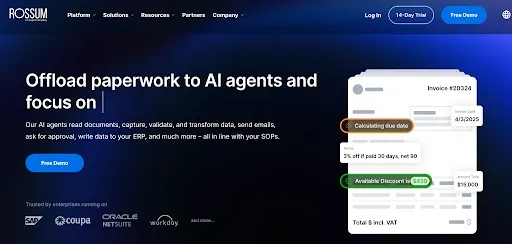
Rossum reads incoming invoices and checks the extracted information before sending it to connected systems. It suits businesses whose main challenge is capturing invoice data and getting it into the right format for downstream processing.
Key Features of Rossum
- Document intake: Accepts invoices through email, API connections, or manual uploads.
- AI extraction: Reads invoice fields and line-item data without requiring a template for every supplier.
- Validation and review: Applies configured checks and gives users a screen to correct exceptions.
- Master data matching: Checks extracted values against records such as supplier and purchase order data.
- Workflow customization: Supports custom business rules and extensions to adapt processing to your requirements. Some capabilities require higher-tier plans.
ERP Integration With Rossum
Rossum connects to downstream systems through APIs and SFTP, with certified integrations for SAP and Coupa. It can send validated invoice data and the original document into the connected system. Approval workflows and predictive GL coding are also available through AP add-ons, so the complete workflow depends on your package and integration.
Rossum Pricing
The Starter plan begins at $18,000 per year and includes unlimited seats. Pricing depends on document or page volume and workflow complexity. Integrations and AP add-ons can increase the cost. Rossum also offers a 14-day trial, with a minimum contract length of one year.
BILL: Best for Smaller Teams Prioritizing Accounting Connectivity
BILL captures supplier invoice details and sends bills to the right people for approval. Your team can then pay suppliers through the platform and sync records with supported accounting software.
Key Features of BILL
- Invoice capture and coding: Uses AI to extract bill details, with multi-line coding available from the Team plan.
- Approval workflows: Routes bills for review, with custom approval policies available on higher plans.
- PO matching: Offers purchasing and matching capabilities that depend on your plan and integration.
- Supplier payments: Supports ACH, card, check, and international payment options.
- Duplicate detection: Flags potential duplicate invoices to help prevent repeated payments.
ERP Integration With BILL
It offers two main plans: Essentials, which uses manual CSV uploads, and Team, which syncs automatically with QuickBooks Online and Xero. Businesses using other ERPs need the Enterprise plan.
BILL Pricing
BILL offers four plans: Essentials at $49 per user per month, Team at $65, Corporate at $89, and Enterprise with custom pricing. Payment fees are extra. Procurement is included with Corporate and Enterprise; Essentials and Team charge extra for it.
SAP Concur Invoice: Best for SAP and Concur Environments
SAP Concur Invoice captures supplier invoice details and routes invoices for approval. Finance teams can track invoice status and enforce approval policies, with matching and payment options available to extend the workflow.
Key Features of SAP Concur Invoice
- Invoice capture: Extracts key details from emailed invoices, PDFs, paper documents, and electronic formats.
- Approval workflows: Sends invoices to the appropriate reviewers using configurable rules.
- Purchase order matching: Checks invoices against purchasing records and flags discrepancies.
- Spend visibility: Helps finance teams monitor outstanding invoices and upcoming payment obligations.
- Audit trails: Records approval activity so teams can trace decisions and check policy compliance.
ERP Integration With SAP Concur Invoice
SAP Concur Invoice connects with ERP and accounting systems through APIs and partner connectors. The connector determines which records move between systems, so support for your ERP edition and invoice workflow depends on your product.
SAP Concur Invoice Pricing
Contact SAP Concur for a quote. Ask whether the proposal includes Three-Way Match and payment services, along with any partner connector or implementation costs.
How to Choose Invoice Automation Software
Before you choose, check how the software works with your ERP and test it with your own invoices. Here’s what to look for during the demo and when reviewing the quote.
- Check your exact ERP and integration setup
Confirm that the software supports your ERP edition and version. Ask what data moves between the systems and how often it syncs. Check whether additional software or custom development is needed. Also confirm who maintains the connection and fixes integration issues.
- Test PO and non-PO invoices
Use your own invoices during the demo. Start with one that should pass three-way matching, then try one with a price mismatch or missing receipt. For an invoice without a PO, check whether you can split the cost across GL accounts. Also test how the software handles a duplicate invoice or credit memo.
- See how the team resolves invoice problems
When an invoice does not match, check who is notified and what they need to do to resolve it. Follow the corrected invoice through approval and into your ERP. Make sure you can still access its supporting documents and see a record of the changes and approvals.
- Check what the touchless processing rate means
Ask which parts of the process run without anyone reviewing or changing the invoice. A touchless invoice processing rate should state which invoices are included and which are excluded. It should also explain which customers the results came from and when they were measured. Reading invoice data accurately is not the same as processing an invoice without human involvement.
- Understand the full cost and who handles setup
Ask for a quote that includes the features and invoice volume you need. Check for implementation costs, integration charges, payment fees, and ongoing support costs. Before you sign, agree on what the vendor will set up and what your team must do, including data migration and training.
Use the same invoices in every demo so you can compare each tool against the same requirements.
For more help evaluating your options, download our AP Automation Buyer’s Guide.
Reduce Manual AP Work With Invoice Automation Software
Buying software is a significant commitment for your AP team. They will need to learn it and make time for the setup while keeping invoices moving. The time saved once it is running should justify that effort.
Choose a specific problem you want to solve. Perhaps invoices sit with approvers for days, or your team spends hours reconciling them at month-end. Record how long that work takes now, then compare it after the software has been in use. That will help you see whether it was worth the cost.
Book a demo with us and bring examples of invoices that give your team trouble. We’ll show you how MetaViewer handles them and explain how it would connect to your ERP.
FAQs
What is the best AP automation software for a mid-market company?
The best mid-market AP automation software balances ERP fit, usable controls, implementation effort, and total cost. The shortlist may include focused AP tools such as MetaViewer, Stampli, Yooz, or Rillion, and broader suites such as Tipalti, Medius, AvidXchange, BILL, or SAP Concur.
Start with company structure, invoice volume, ERP edition, matching complexity, payment scope, and exception workload. Then test each product using the same invoices.
What is the difference between invoice automation and invoicing software?
Invoice automation for AP processes bills received from suppliers, while invoicing software usually creates and sends bills to customers. AP platforms capture data, code invoices, match them to POs and receipts, route approvals, resolve exceptions, and post transactions.
What should a touchless invoice-processing rate include?
A touchless-processing rate should measure eligible invoices that complete a defined workflow without manual intervention. The vendor should disclose the denominator, exclusions, workflow stages, measurement period, and exception rate.
How much does invoice automation software cost?
Invoice automation pricing depends on the platform, modules, invoice volume, users, entities, integrations, services, and payment activity. Some vendors publish per-user or entry-level plans, while many provide custom quotes.