

Dynamics GP to NetSuite Migration: 2026 Decision Guide
Key Takeaways
- A Dynamics GP to NetSuite migration moves financial data and workflows to the cloud. But GP customizations must be rebuilt in NetSuite’s SuiteCloud platform.
- Most GP users are migrating in 2026 because Microsoft ends Dynamics GP product support on December 31, 2029, and security updates on April 30, 2031.
- Mid-market NetSuite deployments run roughly $75,000 to $250,000 per year excluding implementation, and most projects take six to twelve months to complete.
- AP automation is a separate connected system that needs its own migration track, because its workflows and document archives seldom transfer with the ERP automatically.
- MetaViewer’s MetaConnect handles AP integration as a structured workstream and keeps invoice archives available across ERP changes. This way, audit access survives the move off GP.
As Microsoft moves Dynamics GP toward its retirement timeline, many organizations are evaluating cloud Enterprise resource planning (ERP) platforms to determine what comes next. NetSuite is one of the leading options, especially for companies that need stronger multi-entity management, global financial capabilities, a scalable cloud platform and more flexible reporting.
However, moving from Dynamics GP to NetSuite involves more than exporting data and loading it into a new system. Your team must decide:
- Which customizations to replace
- Which historical records to migrate
- How to redesign your chart of accounts, and
- How connected systems like AP Automation will continue working after go-live.
The right migration approach depends on your current GP environment, business requirements, migration scope, and long-term goals. This guide covers what a Dynamics GP to NetSuite migration involves, expected costs and timelines, how NetSuite compares with alternatives like Business Central and Acumatica, and the AP Automation considerations that many migration plans overlook.
What A Dynamics GP To NetSuite Migration Involves
A Dynamics GP to NetSuite migration is the process of moving financial data, business records, and accounting workflows from Microsoft Dynamics GP to Oracle NetSuite. It includes:
- Transferring master data and transactions
- Configuring NetSuite
- Rebuilding integrations and customizations
- Testing the new environment
- Validating migrated data before go-live.
Organizations typically migrate from Dynamics GP to NetSuite to replace on-premises infrastructure with a cloud-based ERP that is easier to scale, maintain, and access, particularly as Dynamics GP approaches the end of its support lifecycle.
The migration process also includes several planning and configuration activities, such as:
- Deciding which historical records to retain
- Mapping the chart of accounts
- Recreating reports
- Rebuilding integrations, and
- Replacing Dynamics GP customizations using NetSuite’s SuiteCloud platform.
The complexity of the project depends on factors such as data quality, the number of legal entities, existing customizations, and third-party integrations. Understanding these requirements upfront makes it easier to scope the project, allocate resources, reduce migration risks and set realistic timelines.
Some components move directly to NetSuite, while others need to be rebuilt or reconfigured. The table below highlights the difference:
| Moves to NetSuite | Requires Rebuilding or Redesign |
|---|---|
| Vendor, customer, item, and employee master data | Dexterity customizations |
| Open AP invoices, AR invoices, inventory balances, and unposted journals | Third-party GP add-ons |
| General Ledger (GL) balances or selected historical financial data | Report Writer and SmartList reports |
| Selected historical transactions (based on migration scope) | Integration Manager and eConnect integrations |
| Standard ERP data after mapping and validation | Security roles and user permissions |
| GP workflows and approval logic |
Caption: What Moves to NetSuite and What Doesn’t
Dynamics GP to NetSuite Migration: Timeline and Cost Factors
Oracle doesn’t publish standard NetSuite pricing, so the final cost depends on your company size, the modules you need, the number of users, and the complexity of your implementation.
According to procurement platform Vendr, most mid-market NetSuite deployments cost between $75,000 and $250,000 per year, excluding implementation services. Implementation is usually quoted separately and can often be negotiated, especially if you source software and services from different providers.
Most projects see costs change for two reasons:
- Renewal pricing can increase: Discounts offered in the first year don’t always carry over to future renewals, so negotiate renewal terms early.
- Project scope can grow: As implementation progresses, you may discover you need additional NetSuite modules or customizations that weren’t included in the original estimate.
Why GP Users Are Migrating In 2026
Dynamics GP users are planning migrations in 2026 because Microsoft has announced the product’s retirement timeline, with product support ending on December 31, 2029, and security updates ending on April 30, 2031. These milestones are prompting organizations to evaluate cloud ERP platforms such as NetSuite and plan their migration before support, updates, and the GP partner ecosystem begin to decline.
Microsoft has published a clear timeline for Dynamics GP’s retirement. The table below summarizes the key milestones and what they mean for existing customers:
| Date | What Ends |
|---|---|
| 1 April, 2025 | New perpetual license sales |
| 1 April, 2026 | New subscription license sales |
| 31 December, 2029 | Product enhancements, tax and regulatory updates, service packs, and technical support |
| 30 April, 2031 | Security updates |
Caption: Microsoft Dynamics GP support milestones
How Your License Type Changes The Deadline
The support timeline applies to every Dynamics GP customer, but its practical impact depends on how your organization is licensed.
Organizations using perpetual licenses can continue running Dynamics GP after Microsoft support ends. However, the software will no longer receive security updates, tax and regulatory updates, or technical support.
Organizations using subscription-based licensing should review their licensing agreement with their Microsoft partner. Continued use after the support period depends on the terms of that agreement, so it’s important to confirm your options before building a migration timeline.
Common Challenges with NetSuite
NetSuite is one of the most commonly considered ERPs for Dynamics GP customers. However, it isn’t the right fit for every organization.
Across review platforms like G2, while frequently praising its ease of use and customizability, they also point out issues related to reporting and data integrity.
If these factors are important to your business, it’s worth evaluating other ERP platforms before making a final decision. The sections below compare NetSuite with Microsoft Dynamics 365 Business Central, Acumatica, and Odoo to help you identify the best fit for your requirements.
When NetSuite Is The Right Choice
NetSuite is a strong fit for organizations with complex financial operations, particularly those managing multiple subsidiaries across countries or requiring advanced multi-currency consolidation and statutory reporting.
If those capabilities aren’t central to your business, it’s worth evaluating other ERP platforms before making a final decision.
NetSuite Alternatives for Dynamics GP Users
NetSuite, Microsoft Dynamics 365 Business Central, Acumatica, and Odoo are among the most common ERP platforms Dynamics GP customers evaluate. The comparison below highlights where each platform fits best, followed by a closer look at what each one offers.
| ERP Platform | Best For |
|---|---|
| NetSuite | Mid-market and enterprise businesses with complex financial operations, multiple entities, or global subsidiaries |
| Microsoft Dynamics 365 Business Central | Small and mid-sized businesses already invested in the Microsoft ecosystem |
| Acumatica | Growing businesses that need industry-specific functionality and flexible deployment |
| Odoo | Organizations looking for a modular, open-source ERP with lower upfront costs |
Caption: ERP Platforms Compared by Best-Fit Business Type
1. NetSuite
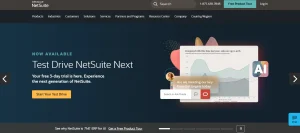
Oracle NetSuite is a cloud-based ERP platform that helps organizations manage finance, accounting, inventory, procurement, order management, and business operations from a single system. It is widely used by mid-market and enterprise businesses that need multi-entity, multi-currency, and global financial management capabilities.
Key differentiators:
- Unified Financial Management: Transform the general ledger, optimize accounts receivable, automate accounts payable, and get a complete view of cash flow in one system, giving finance teams accurate books and real-time financial insight.
- Order and Inventory Management: Streamline order processing by eliminating manual bottlenecks and preventing errors, and automate inventory management, giving businesses clearer visibility into stock levels and fulfillment.
- Real-Time Reporting and Dashboards: Saved searches, reports, dashboards, and workbooks provide real-time business insights, helping teams monitor performance and make decisions based on current numbers rather than delayed reports.
- SuiteCloud Platform: Configure and customize the experience, visually automate workflow-based processes, and extend core functionality with custom logic and APIs, so companies adapt the suite to specific requirements and connect external applications.
2. Microsoft Dynamics 365 Business Central
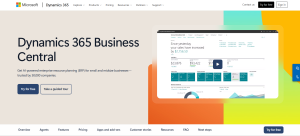
Microsoft Dynamics 365 Business Central is a cloud ERP solution for small and mid-sized businesses that combines financial management, supply chain, sales, purchasing, inventory, and project management in one platform. It is Microsoft’s recommended migration path for organizations moving away from Dynamics GP.
Key differentiators:
- Financial Management: Handle payments, cash flow, income and revenue deferral, year-end closing, and fixed assets in one place, giving finance teams a complete view of company finances and reducing reliance on separate accounting tools.
- Sales and Purchasing: Manage quotes, orders, returns, and customer and vendor accounts across sales and purchasing, letting teams run the full order cycle and keep transaction records connected in a single system.
- Copilot AI Assistance: Analyze list data in natural language, autofill fields, reconcile bank accounts, and summarize records, cutting time spent on repetitive data entry and routine analysis.
- Microsoft 365 Integration: Work with Business Central data inside Outlook, Excel, and Teams, so users view customer details, bulk-edit records, and share live data without switching between applications.
3. Acumatica
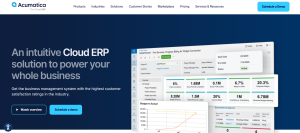
Acumatica is a cloud ERP platform designed for mid-sized businesses in industries such as manufacturing, distribution, retail, construction, and professional services. It provides financial management, inventory control, project accounting, CRM, and operational management through a flexible, cloud-based system.
Key differentiators:
- Industry-Specific Editions: Acumatica offers tailored editions for General Business, Distribution, Manufacturing, Retail, Construction, and Professional Services, each bundling the modules that industry relies on, so companies start from a relevant foundation instead of configuring a generic system from scratch.
- Flexible Licensing and Deployment: Choose SaaS hosted in a public cloud, or a Private Cloud Subscription hosted with a provider you select and control when updates are applied, letting each business decide where its data lives and match licensing to how it operates.
- Low-Code/No-Code Customization: Business users tailor workflows, customize reports, build dashboards, and personalize screens without code, and changes are maintained on top of the core code so upgrades deliver the latest features without impacting your application.
- Open Extensibility: Extend the system with over 300 apps on the Acumatica Marketplace and connect external systems through extendable web APIs and web hooks, helping mid-market teams integrate existing tools and adapt the platform to specific requirements
4. Odoo
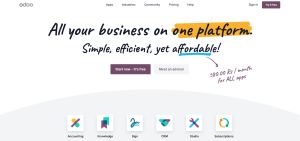
Odoo is an open-source ERP platform that offers integrated applications for accounting, inventory, CRM, sales, purchasing, manufacturing, and human resources. Its modular design allows businesses to implement only the applications they need and expand the system as their requirements grow.
Key differentiators:
- Integrated Business Apps: Run CRM, eCommerce, accounting, inventory, point of sale, and project management as one suite where apps share data, removing the silos and duplicate entry that come from separate disconnected tools.
- Open Source and Data Ownership: Data lives in standard PostgreSQL with source code and GitHub access, so companies own their data, avoid software lock-in, and can host on Odoo’s infrastructure or on premise.
- Web Service API: Connect third-party applications through the Odoo web service API, which supports languages including Python, PHP, Java, C#, and Ruby, making it easier to integrate existing systems and exchange data.
- Built-in Import/Export Tools: Use the built-in import-export tool to mass import or export and update records through Excel sheets, helping teams move and maintain large volumes of data without manual re-entry.
How To Migrate From Dynamics GP: 7 Steps
Whether you’re moving to NetSuite, Business Central, or another cloud ERP, the migration process follows the same core steps.
Building a complete inventory of your Dynamics GP environment is the foundation of every successful migration. The seven steps below build on that foundation to help you avoid common migration mistakes.
1. Build A Complete Inventory Of Your Dynamics GP Environment Before Migration
Before choosing a migration approach, document everything currently running inside GP, including Dexterity customizations, third-party add-ons, Integration Manager routines, SSRS (SQL Server Reporting Services) reports, workflows, and any manual processes built around the system.
For each customization or integration, classify it as required, replaceable, or obsolete. Many organizations discover that years of workarounds and one-off modifications have created unnecessary complexity. Migrating these items without review simply carries old problems into a new ERP.
A complete inventory helps you answer critical questions like:
- Which processes must the new ERP support on day one?
- Which customizations can be replaced with standard cloud functionality?
- Which reports are still actively used by finance and operations?
2. Evaluate ERP Options Based On Business Requirements, Not Vendor Features
The best Dynamics GP replacement is not necessarily the ERP with the longest feature list. Score potential platforms against the capabilities that matter most to your organization, including finance complexity, operational workflows, integrations, reporting needs, and future growth.
Create a weighted evaluation model based on your priorities rather than allowing vendor demos to define the criteria. Include stakeholders from finance, AP, operations, and IT to ensure the selected platform supports how the business actually operates.
This prevents a common migration mistake, like choosing an ERP that looks impressive during evaluation but requires significant customization to fit everyday processes.
3. Clean And Standardize Master Data Before Moving Anything
Data cleanup should happen before extraction because fixing data after it has been loaded into the new ERP is far more complex and costly. Review vendor records, customer data, item lists, chart of accounts, and historical transactions to remove duplicates and standardize inconsistent formats.
For example:
- Merge duplicate vendors with slightly different names
- Remove inactive records that no longer serve a purpose
- Standardize payment terms and vendor classifications
Clean master data improves reporting accuracy and reduces downstream issues with workflows, approvals, and AP automation. Poor-quality data is much harder to fix once it has been transferred.
4. Redesign Your Chart Of Accounts And Decide What History To Migrate
Define how the chart of accounts will translate into the target ERP before migration begins. Account mapping affects financial reporting, approval workflows, budgeting, and AP coding rules.
You should also decide how much historical data needs to move. Migrating every transaction from GP may increase project complexity without providing business value. Many organizations keep detailed historical records in an archive while bringing only the data required for operational reporting and compliance.
5. Treat AP Automation And Document Management As A Separate Migration Track
Accounts payable often becomes the overlooked part of an ERP migration. Organizations focus on financial modules but underestimate the complexity of moving invoice workflows, approvals, document storage, and invoice history.
Give AP automation its own project scope with:
- A dedicated owner
- Defined integration requirements
- Document migration decisions
- Testing timelines
This prevents late-stage surprises where invoices, approvals, or supporting documents do not work as expected after go-live.
MetaViewer helps organizations maintain invoice workflows, document access, and approval processes during ERP changes by connecting AP Automation with both existing and future ERP environments.
With MetaViewer, your team can continue using automated invoice capture, approval workflows, document management, and audit-ready records while preparing for the move away from Dynamics GP.
6. Validate The New System Using Real-World Transactions And Workflows
User acceptance testing should reflect real business operations and workflows, beyond simply confirming successful data migration.
- Test using real invoices, unusual transactions, exceptions, and approval scenarios.
- Include invoices from vendors with inconsistent formats, complex approval chains, and delegated approvers.
Testing with clean sample data creates false confidence. Real-world testing exposes the workflow gaps that users will encounter immediately after launch.
7. Plan Your Cutover Around Business Operations And The First Financial Close
The migration does not end when data is loaded because your cutover plan should account for how the business will operate during the transition, especially the first month-end close.
Work backward from your first close date and define:
- Final GP transaction dates
- Data freeze timelines
- User readiness requirements
- Support availability after launch
- GP access requirements during transition
Keep Dynamics GP available in read-only mode until you have enough confidence in the new ERP. A controlled transition reduces disruption and gives finance teams a reliable fallback.
Why AP Automation Needs Its Own Migration Plan
The accounting system may be the center of your ERP migration, but accounts payable is where many operational challenges surface after go-live. Invoice capture, approval workflows, document storage, and vendor processes often sit outside the core ERP migration plan, creating gaps that impact finance teams from day one. Treating AP as a separate migration workstream ensures these processes move smoothly alongside your new ERP instead of becoming a post-launch problem.
Why AP Automation Doesn’t Automatically Move with Your ERP
Most AP Automation platforms store years of invoice images, approval workflows, and audit records that don’t automatically move with your ERP.
They also maintain:
- OCR (Optical Character Recognition) models trained on your vendor invoice formats
- Approval workflows based on your delegation of authority
- GL coding rules
- Purchase order matching tolerances
- Exception handling processes
Many finance teams only discover these issues during user acceptance testing, when implementation timelines are already tight. Planning AP automation as a separate workstream from the start helps prevent workflow disruptions and unnecessary manual work after go-live.
What Gets Rebuilt and What Gets Reconfigured
The key question during an ERP migration is whether your AP Automation platform already has a purpose-built integration for the destination ERP or whether a new connection must be developed. The difference affects project scope, timeline, testing requirements, and migration risk.
| Integration Scenario | What Happens During Migration | Migration Effort | Key Considerations |
|---|---|---|---|
| Pre-built AP Automation integration exists |
|
Lower effort. Primarily configuration updates and validation. | Existing approval workflows, invoice capture templates, exception rules, and document archives can typically remain intact with targeted updates. |
| No pre-built integration exists |
|
Higher effort. Requires dedicated integration planning, development, testing, and support. | Treat this as a separate migration workstream with defined owners, timelines, and testing milestones. |
Caption: Comparing AP Automation Migration Paths With and Without a Pre-Built Integration
MetaViewer’s MetaConnect provides ERP-agnostic AP Automation integration, allowing organizations to connect invoice processing workflows with your existing ERP environment and future ERP platforms.
Whether you are moving from Dynamics GP to NetSuite or another cloud ERP, MetaConnect helps your team plan integration requirements, map data flows, and validate workflows before go-live.
Your ERP choice directly affects how much effort your AP Automation migration requires. If you move to a platform with a purpose-built integration, such as Microsoft Dynamics GP, Microsoft Dynamics 365 Business Central, Microsoft Dynamics 365 Finance and Operations, or Acumatica, you can reduce the amount of custom mapping and development required. If your destination ERP requires a new connection, you will need additional planning for integration design, testing, and validation through MetaConnect.
Preserving AP Documents and Audit Records After Migration
Historical AP documents often outlive the ERP they were created in. Invoice images, approval histories, exception notes, and supporting documentation may need to remain accessible years after migration for audits, compliance, and internal reviews.
If these documents are stored within Dynamics GP or tied directly to ERP attachments, you will need to decide how they will be accessed after migration. Your options include:
- Migrating historical documents into the new system
- Maintaining Dynamics GP in a read-only environment or
- Creating another archive solution that preserves retrieval access
An ERP-independent document management repository provides more flexibility. Your historical documents remain available regardless of ERP changes, allowing your team and auditors to retrieve invoices from different periods through the same system, even when those records were created across multiple ERP platforms.
Discuss your document retention and audit access requirements with your audit team before cutover. Waiting until the first audit to validate document access often leads to unnecessary remediation work.
MetaViewer provides a centralized document repository that keeps invoice images, approval records, and audit trails accessible even as your ERP environment evolves.
Instead of tying historical documents to a single ERP system, your finance team can maintain consistent access to critical records across system changes.
Future-Proof Your AP Automation Beyond ERP Migration
A successful migration starts with evaluating the right platform, cleaning and mapping your data, rebuilding integrations and customizations, and validating workflows before go-live.
Just as importantly, connected systems like AP automation need their own migration strategy to ensure invoice processing, document access, and audit records remain intact throughout the transition. Planning these workstreams together helps reduce risk, minimize disruption, and deliver a smoother move to your next ERP.
Book a demo with MetaViewer today!
With MetaViewer, you can preserve invoice workflows, document access, and audit-ready records while transitioning from Dynamics GP to NetSuite, Business Central, Acumatica, or another ERP. MetaConnect™ provides ERP-agnostic integrations that help finance teams maintain business continuity today while staying flexible for future ERP changes.
Book a demo to explore your ERP migration and AP Automation strategy.
FAQs
1. Should I migrate directly to NetSuite or evaluate multiple ERP platforms first?
Unless you’ve already standardized on NetSuite, it’s worth comparing other leading ERP platforms such as Microsoft Dynamics 365 Business Central, Acumatica, and Odoo. Evaluating platforms against your financial processes, industry requirements, integrations, and long-term growth plans helps ensure you choose the right fit rather than the most familiar option.
2. How can I reduce disruption to finance teams during an ERP migration?
Plan your migration around key accounting activities such as month-end close, assign business users to user acceptance testing, and keep Dynamics GP available in read-only mode until the new system is fully validated. This helps finance teams continue daily operations while reducing the risk of post-go-live issues.
3. Which departments should be involved in a Dynamics GP migration project?
ERP migrations should involve more than IT and finance. Accounts payable, procurement, operations, sales, compliance, and executive stakeholders all rely on ERP data and workflows. Involving these teams early helps identify business requirements, integration needs, and process changes before implementation begins.
4. How do I know if my current Dynamics GP customizations are still worth keeping?
Start by reviewing how frequently each customization is used and whether the new ERP already provides similar functionality. Many organizations discover that legacy customizations were created to work around limitations that no longer exist in modern cloud ERP platforms.
5. What should I ask an ERP implementation partner before starting a migration?
Ask about their experience with Dynamics GP migrations, methodology for handling customizations and integrations, data migration approach, testing process, post-go-live support, and how they manage connected systems like AP automation and document management.
6. What should I do after my Dynamics GP migration goes live?
Monitor financial reports, user adoption, system integrations, and AP workflows during the first few months. Gather feedback from business users, resolve workflow bottlenecks quickly, and continue optimizing processes to maximize the value of your new ERP investment.

Triple Dart | 24.08.2026

