
Best AP Automation Software for Manufacturing (2026)
Key Takeaways
- The best AP automation software integrates with your ERP and supports your existing manufacturing workflows.
- Look for line-level two- and three-way matching, exception handling, approval workflows, and flexible General Ledger (GL) coding to manage complex purchasing processes.
- Some platforms charge based on invoice volume or add per-invoice processing fees, while others offer more predictable pricing as your AP workload grows.
- Business Central users, Dynamics shops, Acumatica customers, and companies with global supplier networks all have different best-fit options.
- This guide compares seven leading AP automation platforms based on ERP support, manufacturing capabilities, pricing, customer reviews, and the business environments they’re best suited for.
The right choice of AP automation software for manufacturing businesses depends on your ERP, how your purchasing process works, and whether the software can handle manufacturing-specific workflows like partial deliveries, multi-receipt purchase orders, and complex invoice matching.
In this guide, we’ve compared seven AP automation platforms used by manufacturers, including Medius, Continia Document Capture, MetaViewer, Dooap, Dokka, Tipalti, and AvidXchange. You’ll see how they compare on ERP compatibility, pricing, matching capabilities, customer ratings, and the types of manufacturers they’re best suited for.
Whether you’re running Dynamics GP, Business Central, Dynamics 365 Finance, Acumatica, or another ERP, this comparison will help you narrow your shortlist and choose a solution that fits your manufacturing workflows without creating unnecessary complexity.
Quick Question
What Types of Manufacturers Need AP Automation Software?
Manufacturers dealing with complex invoice matching, growing AP workloads, or legacy ERP systems often see the greatest return from AP automation. The following scenarios indicate which organizations benefit the most:
- Process high invoice volumes without increasing AP headcount.
- Manually match partial deliveries and multi-receipt purchase orders, creating frequent exceptions.
- Split freight, tax, or non-PO invoices across multiple cost centers or GL accounts.
- Need faster invoice approvals and better visibility into invoices waiting for review.
- Want to automate AP before migrating to a new ERP, reducing manual processes and creating cleaner workflows ahead of the transition.
- Need to shorten invoice processing times without adding more finance staff.
7 Core Features Every AP Automation Tool Should Have
Before comparing vendors, you should understand the core features that most AP automation tools have in common. The table below outlines these baseline capabilities, so you have a clear starting point before comparing individual platforms:
| Feature | What It Helps You Do | Why It Matters for Manufacturers |
|---|---|---|
| Invoice Capture (OCR/AI) | Extract invoice data from PDFs, emails, and paper invoices automatically, reducing manual data entry. | Speeds up processing for manufacturers receiving invoices from hundreds of suppliers in different formats. |
| Two- or Three-Way Matching | Match invoices against purchase orders and goods receipts before approval. | Reduces payment errors and helps manage partial deliveries, backorders, and multi-receipt purchase orders. |
| Approval Workflows | Automatically route invoices to the appropriate approvers based on predefined rules. | Prevents invoices from sitting in approval queues and keeps production-related purchases moving. |
| Exception Handling | Identify pricing discrepancies, quantity mismatches, or missing receipts for review. | Allows AP teams to resolve exceptions without delaying every invoice in the batch. |
| GL and Cost-Center Coding | Apply GL accounts, departments, or cost centers automatically. | Reduces manual coding for freight, inventory, and non-PO invoices across multiple plants or business units. |
| Digital Archive and Audit Trail | Store invoices and supporting documents in a searchable repository. | Makes audits, compliance checks, and supplier inquiries faster by keeping documents linked to transactions. |
| ERP (Enterprise Resource Planning) Integration | Sync invoice, vendor, and payment data with your ERP. | Eliminates duplicate data entry and ensures AP processes stay connected to your existing ERP environment. |
| Reporting and Analytics | Track invoice processing metrics and workflow performance. | Helps finance leaders identify bottlenecks, monitor AP efficiency, and measure automation results over time. |
Caption: Essential AP Automation Features Explained
How We Evaluated Each AP Automation Tool In This Comparison
To make this comparison as practical as possible, we evaluated every AP automation tool using the same five criteria. The goal was to assess how well each platform supports manufacturers, particularly those running Dynamics ERP systems or Acumatica.
- ERP and edition fit: Whether the tool supports your specific Dynamics edition or Acumatica, including older on-premise systems, rather than simply claiming ERP integration.
- Matching depth: How well the platform handles line-level two-way and three-way matching, including manufacturing scenarios such as partial deliveries and multi-receipt purchase orders.
- Exception handling: How effectively the tool manages invoice discrepancies and how much manual intervention is still required.
- Support and onboarding: The expected implementation effort, onboarding experience, and quality of ongoing customer support based on publicly available reviews.
- Pricing transparency: Whether pricing is clear and predictable as invoice volume grows, including whether additional per-invoice processing fees apply.
Our assessment combines publicly available review data from G2 and Capterra with vendor documentation covering features, ERP integrations, and pricing where available. Since ratings, review counts, and product capabilities change over time, verify the latest information before making a purchasing decision.
Quick Comparison: Best AP Automation Software for Manufacturing
The table below summarizes the seven AP automation tools based on their best fit, pricing, ratings, and key strengths, before exploring each platform in detail:
| Tool | Best For | ERP Support | Pricing |
|---|---|---|---|
| Medius | Enterprise and multi-plant manufacturers | Microsoft Dynamics, SAP, Oracle, NetSuite, Infor, and other major ERPs | Custom quote |
| Continia Document Capture | Business Central manufacturers | Business Central (Online & On-premises), NAV | Usage-based pricing |
| MetaViewer | Dynamics and Acumatica manufacturers | GP, AX, NAV, SL, Business Central, D365 Finance, Acumatica | Custom quote (no per-invoice capture fees) |
| Dooap | Dynamics 365 Finance & AX 2012 users | D365 Finance & Supply Chain, AX 2012 | Starts at $17,900/year |
| Dokka | Acumatica manufacturers | Acumatica and other cloud ERPs | Custom quote |
| Tipalti | Global manufacturers with international suppliers | Microsoft Dynamics, NetSuite, SAP, Oracle, Sage Intacct, and more | Starts at €99/month + transaction fees |
| AvidXchange | High-volume mid-market manufacturers | 240+ ERP integrations | Custom quote |
Caption: 7 AP automation tools for manufacturing compared at a glance
Detailed Overview: Top 7 AP Automation Tools for Manufacturing
Now that you’ve seen the high-level comparison, let’s look at each tool in more detail. The reviews below explain what each platform offers, who it’s best for, and what to consider before making a decision.
1. Medius
Best For: Large or multi-plant manufacturers that need deep line-level matching logic and have the internal resources for a more complex rollout.
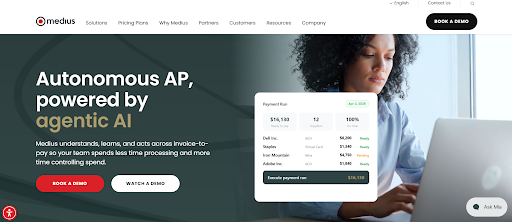
Medius is an accounts payable automation and spend management platform that helps businesses automate invoice capture, approval workflows, purchase order matching, and supplier management. It is designed for mid-sized and enterprise organizations that need greater control over invoice processing, procurement, and financial operations.
Medius’s Key Features
- Multi-channel invoice capture: Ingests invoices arriving by paper, email, Electronic Data Interchange (EDI), and e-invoice, then extracts header and line-level data without rigid templates, so AP staff stop keying invoices manually and processing can start the moment an invoice arrives.
- Invoice-to-PO matching: Automatically matches invoices against purchase orders using its capture and matching engine, confirming amounts and quantities before approval.
- Approval workflows with AI assistant: Routes invoices to the right approver automatically and answers approver questions through an embedded AI assistant, keeping invoices moving and helping approvers make accurate decisions without leaving the workflow or chasing information down manually.
- Fraud and duplicate detection: Uses anomaly detection to flag supplier bank or address changes, unusual invoice amounts, and duplicate payments, alerting teams to risks across the entire AP lifecycle before money leaves the business and becomes hard to recover.
Medius’s Pricing
Medius offers two quote-based AP automation plans:
- AP Essentials includes core invoice capture, matching, approvals, analytics, and support for one entity.
- AP 360 adds AI-powered features such as Copilot, supplier portal, fraud detection, supplier conversations, and support for up to three entities.
Additional spend management modules are available at extra cost.
Medius’s Ratings
| Category | G2 Rating | Capterra Rating |
|---|---|---|
| Overall | 4.3 / 5 (85 reviews) | 4.3 / 5 (23 reviews) |
| Ease of Use | 8.5 | 4.2 |
| Quality of Support / Customer Service | 8.4 | 4.7 |
| Ease of Admin / Features | 8.0 | 4.4 |
| Good Partner / Value for Money | 8.7 | 4.5 |
2. Continia Document Capture
Best For: Manufacturers using Microsoft Dynamics 365 Business Central that want AP automation embedded directly within their ERP without relying on a separate platform.
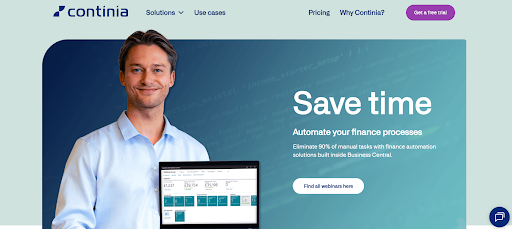
Continia Document Capture is an AP automation solution built specifically for Microsoft Dynamics 365 Business Central. It automates invoice capture, OCR data extraction, approval workflows, and purchase order matching directly within Business Central, allowing finance teams to process invoices without leaving the ERP.
Continia’s Key Features
- OCR Capture with vendor mapping: Reads invoice header fields with OCR (Optical Character Recognition) and lets you map each vendor’s layout once, then reuses that mapping automatically for every future invoice from the same vendor, steadily cutting repeat data entry as more vendors are set up.
- AI Line recognition: Captures detailed line-level data from purchase documents using AI-enhanced recognition, improving accuracy on complex, multi-line invoices so line items post into Business Central correctly without staff having to transcribe them manually.
- Approval workflow and web portal: Runs an end-to-end approval workflow and includes a Web Approval Portal, letting employees without direct Business Central access review and approve invoices from any location or device using only an internet connection.
- Native archive in business central: Imports, registers, and archives invoices directly inside Business Central with no separate portal, second login, or data sync, keeping documents, approvals, and reporting native to the ERP your finance team already works in every day.
Continia’s Pricing
Continia uses a usage-based pricing model. Business Central Online customers pay monthly based on document volume and activated modules after a 30-day free trial. On-premises Business Central and NAV customers purchase or subscribe through a Microsoft Dynamics partner, with pricing varying by solution and usage.
Continia’s Ratings
| Category | G2 Rating |
|---|---|
| Overall | 4.3 / 5 (2 reviews) |
| Ease of Use | 8.5 |
| Quality of Support / Customer Service | 8.4 |
| Ease of Admin / Features | 8.0 |
| Good Partner / Value for Money | 8.7 |
3. MetaViewer
Best For: Manufacturers running Dynamics GP, AX, NAV, SL, Business Central, Dynamics 365 Finance, or Acumatica that want to automate AP without replacing or migrating their existing ERP.
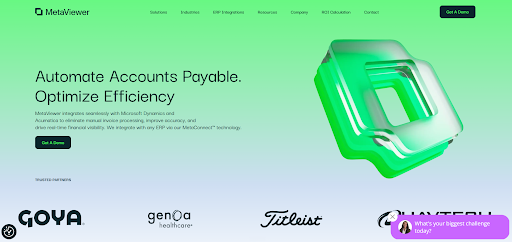
MetaViewer is an AP automation platform that automates invoice capture, approval workflows, three-way matching, and document management for Microsoft Dynamics GP, AX, NAV, SL, Business Central, Dynamics 365 Finance, and Acumatica. Through MetaConnect™, it integrates directly with these ERP systems without requiring businesses to replace their existing ERP.
MetaViewer’s Key Features
- Intelligent recognition capture: Uses AI-based Intelligent Recognition to read and extract data from paper, email, and electronic invoices without charging per-invoice capture fees, removing manual data entry and improving accuracy before information ever reaches your ERP system.
- Touchless invoice processing: Automatically routes invoices for approval and processes both PO (Purchase Order) and non-PO invoices, performing two- and three-way matching without manual effort, so routine invoices move through the entire process on their own with little intervention.
- Automated approval workflows: Routes each invoice to the correct approver based on rules you define, on desktop or mobile, preventing invoices from stalling in queues and giving AP teams a consistent, repeatable approval process across the organization.
- MetaConnect ERP integration: Connects MetaViewer to your ERP through an API-driven integration layer, syncing invoice and document data so automation runs on top of the system you already have, without forcing you to replace or migrate the ERP first.
MetaViewer Pricing
MetaViewer does not publicly disclose its pricing, so organizations need to contact the sales team for a custom quote.
Pricing typically depends on factors such as:
- Annual invoice volume
- Number of users
- ERP platform and integration requirements
- Implementation scope
- Modules or features selected
Metaviewer Ratings
| Category | G2 Rating |
|---|---|
| Overall | 4.9 / 5 (10 reviews) |
| Ease of Use | 10 |
| Quality of Support / Customer Service | 9.2 |
| Ease of Admin / Features | 9.3 |
| Good Partner / Value for Money | 10 |
Leeco Steel streamlined AP without replacing Dynamics GP
As Leeco Steel expanded across the U.S., Canada, Chile, and Mexico, its AP team struggled to keep up with growing invoice volumes. Its existing imaging system relied heavily on manual data entry, offered limited web access, and required costly custom programming, making it difficult to scale without adding more staff.
Leeco implemented MetaViewer alongside Microsoft Dynamics GP to automate invoice capture, PO reconciliation, approval workflows, and document management without replacing its existing ERP. The solution also streamlined document routing and reduced manual processing across both AP and AR.
Results
- Increased invoice processing capacity by 20%, from 3,000 to 3,600 invoices
- Reduced Received Not Invoiced (RNI) balances from $8 million to $1 million
- Automated PO reconciliation, reducing month-end workload and AP stress
- Improved invoice accuracy while enabling the existing team to support continued business growth without additional headcount
4. Dooap
Best for: Manufacturers using Dynamics 365 Finance or AX 2012 that need a Microsoft-focused AP automation solution with native ERP integration and mobile approval workflows.
Dooap is an AP automation solution designed for Microsoft Dynamics 365 Finance and AX 2012. It automates invoice processing, approval workflows, OCR-based data capture, and reporting while providing native integration with Microsoft’s ERP platform and Power BI analytics.
Dooap’s Key Features
- Touch-free invoice processing: Automates receiving, capture, validation, matching, coding, and approval from end to end, so once your AP workflows and rules are configured, routine invoices can move through the whole process without human intervention at each step.
- PO matching with exception handling: Performs two and three-way matching against live Dynamics data and auto-approves invoices that fall within tolerance, while highlighting mismatches such as miscellaneous charges so AP users can find and resolve the exceptions quickly.
- Native mobile approvals: Gives approvers a native mobile app with swipe-to-approve, letting them review invoice details, prior history, coding, and comments from anywhere without logging into the ERP, so approvals never wait on someone reaching their desk.
- Power BI analytics: Delivers AP performance insights through Microsoft Power BI with ready-to-use report templates covering metrics like open invoices per approver, helping finance teams see where invoices slow down and improve process performance over time.
Dooap’s Pricing
Dooap offers three annual SaaS plans based on invoice volume:
- SME ($17,900/year for up to 10,000 invoices)
- Mid-Market ($54,000/year for up to 40,000 invoices)
- Enterprise (custom pricing).
All plans include OCR, unlimited users, mobile app, Power BI analytics, updates, and Azure hosting costs.
Dooap’s Ratings
| Category | Capterra Rating |
|---|---|
| Overall | 5/5 (2 reviews) |
| Ease of Use | 4.2 |
| Value for Money | 4.2 |
| Customer Service Software | 4.0 |
5. Dokka
Best for: Small and mid-sized manufacturers on Acumatica looking for AI-powered invoice processing and real-time, bidirectional ERP synchronization.
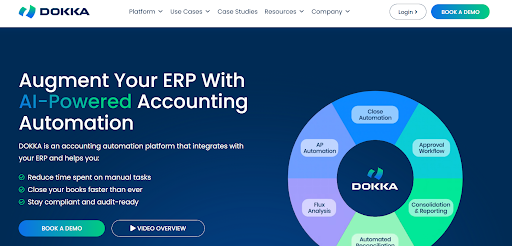
Dokka is an AI-powered accounts payable automation platform for Acumatica and other cloud ERPs. It automates invoice capture, approval workflows, two-way and three-way matching, and vendor data synchronization through real-time ERP integration to reduce manual processing.
Dokka’s Key Features
- AI invoice capture: Uses AI that reads the context of each invoice, such as logos, currencies, and layouts across languages, extracting and categorizing data more accurately than template-based OCR and cutting the time teams spend correcting capture errors.
- Custom approval workflows: Routes invoices through single or multi-level approval chains built on parameters like amount, vendor, cost center, department, or entity, and sends automated reminders so invoices don’t stall in inboxes waiting for someone to act.
- Two-way ERP sync: Keeps invoice data, approvals, vendors, and accounting entries synchronized with your ERP in real time and bi-directionally, including paid and unpaid status, eliminating manual uploads, duplicate work, and reconciliation gaps between the two systems.
- Collaborative workspace: Keeps AP communication, documents, and approvals in one collaborative workspace with built-in notes, search, and chat plus a full audit trail on every invoice, making reviews faster and every action easy to trace later.
Dokka Pricing
Dokka does not publicly disclose its pricing, so organizations need to contact the sales team for a custom quote.
Dokka follows a usage-based pricing model, with pricing primarily determined by the number of invoices processed each month rather than the number of users. The final quote may also vary based on your implementation requirements, integrations, and the features your organization needs.
Dokka’s Ratings
| Category | G2 Rating | Capterra Rating |
|---|---|---|
| Overall | 4.8 / 5 | 4.3 / 5 (23 reviews) |
| Ease of Use | 9.4 | 4.2 |
| Quality of Support / Customer Service | 9.4 | 4.0 |
| Ease of Admin / Features | 9.1 | |
| Good Partner / Value for Money | 9.8 | 4.4 |
6. Tipalti
Best for: Manufacturers with international suppliers that need AP automation combined with global payments, multi-currency support, and automated tax compliance.
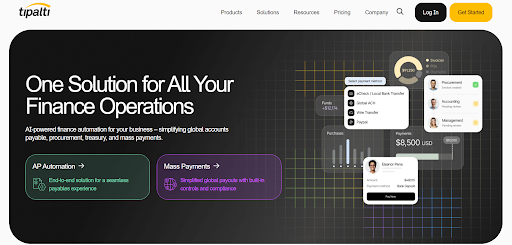
Tipalti is a global accounts payable automation platform that combines invoice processing with supplier payments, tax compliance, and multi-currency payment capabilities. It helps businesses automate the entire procure-to-pay process while managing international vendors and regulatory requirements.
Tipalti’s Key Features
- AI invoice management: Uses AI Smart Scan to capture and process invoices, extracting data automatically so AP teams can handle higher invoice volumes with less manual entry, fewer exceptions to resolve, and faster movement from receipt to approval.
- Two and three-way PO matching: Matches invoices against purchase orders and supporting documents with built-in two and three-way matching to confirm accuracy before payment, helping prevent fraud and overpayments while reducing the manual verification AP staff would otherwise do.
- Global payments: Pays suppliers across multiple currencies, countries, and entities with mass payment capabilities, letting finance teams run global payables from one system instead of managing separate payment processes and reconciliations for each region or method.
- Automated tax compliance: Captures accurate supplier tax information automatically during onboarding, reducing the manual work of collecting and checking tax data and helping teams stay compliant when paying vendors across different countries and tax regimes.
Tipalti’s Pricing
Tipalti offers AP Automation plans starting at €99/month and Mass Payments plans from €249/month. Both include unlimited users and core automation features. Additional transaction fees apply for invoices and payments, with optional modules such as Procurement, Expenses, and Treasury available at extra cost.
Tipalti’s Ratings
| Category | G2 Rating | Capterra Rating |
|---|---|---|
| Overall | 4.8 / 5 | 4.5 / 5 |
| Ease of Use | 9.3 | 4.2 |
| Quality of Support / Customer Service | 9.5 | 4.0 |
| Ease of Admin / Features | 9.3 | |
| Good Partner / Value for Money | 9.6 | 4.2 |
7. AvidXchange
Best for: Mid-market manufacturers processing large invoice volumes that need configurable approval workflows, strong audit trails, and broad ERP integration support.
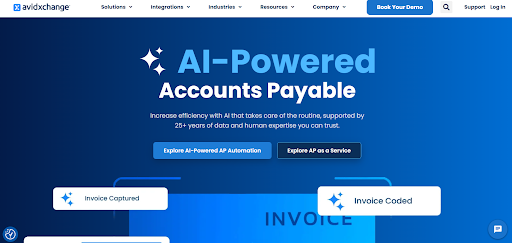
AvidXchange is a cloud-based accounts payable automation platform that helps businesses automate invoice capture, approval workflows, payment processing, and audit trails. It integrates with a wide range of ERP systems and is commonly used by mid-market organizations managing high invoice volumes.
Avidxchange’s Key Features
- Electronic invoice capture: Suppliers submit invoices in a variety of formats through the AvidBill Network, and AvidInvoice extracts the data at both header and line-item level using OCR, removing paper and manual keying from the invoice intake process.
- Automated coding and approval workflow: Codes invoices automatically and routes them through electronic approval workflows that match your existing process, so invoices reach the right approvers without paper handoffs, and staff avoid chasing colleagues to move approvals along.
- Real-time invoice visibility: Lets teams check invoice and payment status from any device, anytime, and sends alerts when an invoice is pending or delayed, giving AP staff visibility and control without constant manual follow-up.
- Electronic payment processing: Pays suppliers electronically through AvidPay, moving invoicing and payment fully paperless so AP teams cut check handling and manage the whole process, from capture through final payment, inside one connected system.
AvidXchange Pricing
AvidXchange does not publicly disclose its pricing, so organizations need to contact the sales team for a custom quote.
Pricing is typically based on factors such as your ERP or accounting software, monthly invoice volume, implementation requirements, and the AP automation capabilities your organization needs. AvidXchange generally follows an enterprise sales model, with pricing tailored to each customer rather than offering fixed subscription tiers.
Avidxchange’s Ratings
| Category | G2 Rating | Capterra Rating |
|---|---|---|
| Overall | 4.4 / 5 | 4.4 / 5 |
| Ease of Use | 8.6 | 4.2 |
| Quality of Support / Customer Service | 7.8 | 4.0 |
| Ease of Admin / Features | 8.1 | |
| Good Partner / Value for Money | 8.4 | 4.2 |
How to Choose the Right AP Automation Software
To choose the right AP automation software for your manufacturing business, narrow your options based on three factors:
- Your ERP system
- Invoice volume
- Biggest AP bottleneck.
You can also use the decision matrix below to identify the tools that best fit your environment before scheduling demos.
| If you… | Recommended tools | Why they’re a good fit |
|---|---|---|
| Run Business Central | Continia Document Capture, MetaViewer | Native Business Central support with strong AP automation capabilities. |
| Run Dynamics GP, AX, NAV, or SL | MetaViewer | Supports legacy Dynamics editions that many competitors don’t. |
| Run Dynamics 365 Finance or AX 2012 | Dooap, MetaViewer | Purpose-built for Microsoft ERP environments with native integration. |
| Run Acumatica | MetaViewer | Native Acumatica integration with real-time synchronization and AP automation. |
| Manage multiple ERP systems or are planning an ERP migration | Medius, AvidXchange | Better suited for mixed ERP environments and organizations transitioning between systems. |
| Process high invoice volumes | MetaViewer, Medius, AvidXchange | Built to handle large AP workloads with automation and scalable workflows. |
| Need deep PO matching for manufacturing | Medius, MetaViewer, Dooap | Strong line-level two and three-way matching for partial deliveries and multi-receipt POs. |
| Work with international suppliers | Tipalti | Combines AP automation with global payments, multi-currency support, and tax compliance. |
| Need strong audit trails and compliance | AvidXchange, MetaViewer | Comprehensive document history, approvals, and audit tracking. |
| Want to automate without replacing your ERP | MetaViewer | Works on top of existing Dynamics and Acumatica deployments without requiring ERP migration. |
Caption: AP automation decision matrix by ERP, invoice volume, and business needs.
Checklist to Choose the Right AP Automation Software for Your Team
Choosing an AP automation platform involves more than comparing features. Before making a decision, validate how each vendor supports your ERP, invoice processing workflows, implementation requirements, reporting capabilities, and long-term costs.
The checklist below covers the key questions to ask.
- Confirm ERP compatibility
Ask the vendor to demonstrate the solution with your exact ERP edition and version (For example, Dynamics GP, AX, NAV, Business Central, D365 Finance, or Acumatica)
- Test real manufacturing invoice scenarios
Ask how the platform handles partial deliveries, multi-receipt purchase orders, freight allocations, price variances, and non-PO invoices without manual workarounds.
- Understand how exceptions are resolved
Ask what happens when an invoice doesn’t match and what percentage of invoices still require manual intervention after implementation.
- Assess implementation effort
Ask how long deployment typically takes for organizations using your ERP, what internal resources are required, and whether historical vendor and PO data can be imported.
- Look beyond the base subscription price
Confirm whether there are additional charges for OCR, invoice capture, integrations, implementation, storage, users, or higher invoice volumes as your business grows.
- Verify reporting and visibility
Make sure you can measure invoice cycle time, touchless processing rate, approval bottlenecks, and exception rates through built-in dashboards.
How MetaViewer Fits Dynamics and Acumatica Manufacturers
If your manufacturing business runs Dynamics GP, AX, NAV, SL, Business Central, Dynamics 365 Finance, or Acumatica, MetaViewer lets you automate accounts payable without replacing or upgrading your ERP.
MetaViewer connects to your ERP through MetaConnect, enabling AI-powered invoice capture, line-level two- and three-way matching, approval workflows, and real-time document visibility within your current finance environment. Whether you’re running an older on-premise Dynamics system or a modern cloud deployment, you can automate AP without relying on custom integrations or disruptive ERP projects.
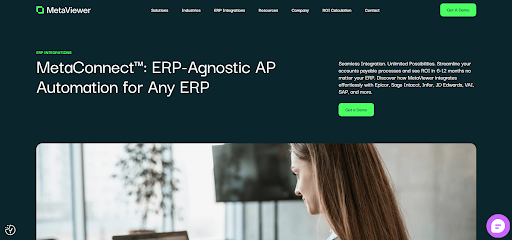
Unlike many AP automation platforms, MetaViewer doesn’t charge per-invoice capture fees, making costs more predictable as invoice volumes grow. Its AI-powered capture engine continuously adapts to changing supplier invoice formats, reducing manual corrections and helping increase touchless processing over time.
As your automation strategy expands, the platform also supports Accounts Receivable automation and enterprise document management, allowing manufacturers to standardize financial document workflows on a single platform instead of adding separate point solutions.
Choosing AP Automation Without Replacing Your ERP
The right AP automation solution should integrate with your ERP, automate complex manufacturing workflows such as line-level PO matching and exception handling, scale with invoice volume, and provide clear pricing as your business grows.
If you’re on Business Central, a native solution like Continia may be the best fit. Manufacturers using Dynamics 365 Finance or AX 2012 may benefit from Dooap, while Acumatica users can consider Dokka. For organizations with global supplier payments, Tipalti offers broader payment capabilities. Enterprise manufacturers managing multiple ERPs may find Medius or AvidXchange better suited to their needs.
However, if your business runs Dynamics GP, AX, NAV, SL, Business Central, Dynamics 365 Finance, or Acumatica and you want to modernize AP without replacing your ERP, MetaViewer combines AI-powered invoice capture, line-level two and three-way matching, automated approval workflows, and native ERP integration through MetaConnect.
Book a demo to see how you can automate AP while keeping the ERP you already rely on.
FAQs
1. Can AP automation support shared services or centralized finance teams?
Yes. Many manufacturers centralize accounts payable across multiple plants or business units. AP automation gives shared service teams standardized workflows, centralized visibility, and consistent approval policies while allowing each location to retain its own approval hierarchy.
2. What should manufacturers clean up before implementing AP automation?
Before implementation, review your vendor master records, approval hierarchies, purchase order processes, and duplicate supplier accounts. Cleaning up inaccurate or outdated ERP data helps improve automation accuracy and reduces exceptions after go-live.
3. Can AP automation support seasonal fluctuations in invoice volume?
Yes. Manufacturers with seasonal production cycles often experience significant spikes in invoice volume. Cloud-based AP automation platforms can process higher volumes without requiring additional AP staff, helping maintain consistent processing times during peak periods.
4. How much customization should manufacturers expect during implementation?
The best AP automation platforms rely primarily on configuration rather than heavy customization. Using configurable approval rules and matching tolerances makes future ERP upgrades easier while reducing implementation time and long-term maintenance costs.
5. What departments benefit from AP automation besides finance?
Beyond finance, procurement gains better visibility into supplier invoices, operations receive faster purchasing approvals, plant managers can approve invoices without paper routing, and auditors spend less time gathering supporting documents during compliance reviews.
6. What are the warning signs that you’ve outgrown your current AP process?
Frequent payment delays, growing invoice backlogs, increasing supplier inquiries, month-end bottlenecks, duplicate payments, rising exception rates, and the need to hire more AP staff just to keep up with invoice volume are all indicators that manual processes are no longer scaling effectively.

Triple Dart | 24.08.2026

